








 Tiếng Việt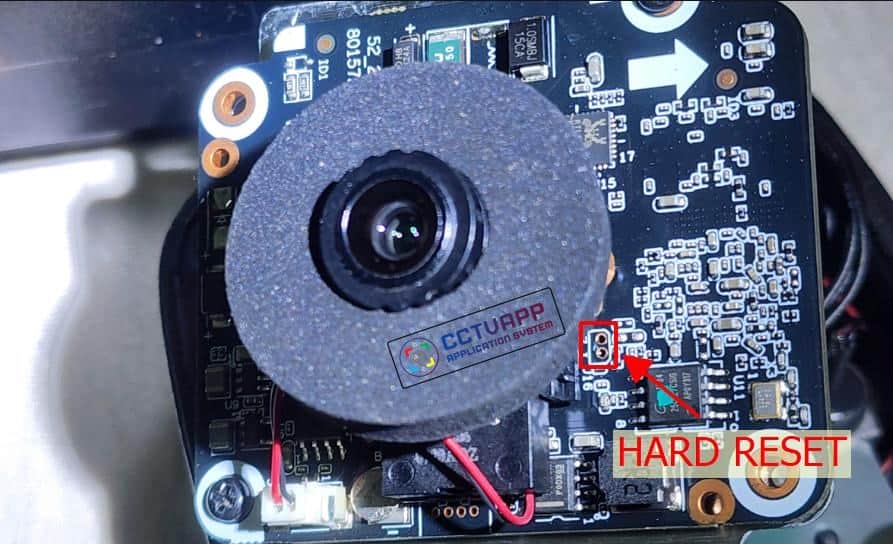
During camera installation, you may often encounter the issue of forgetting the password. Therefore, in this article, I will guide you on how to perform a hard reset on the camera.
How to Do It
- Step 1: Connect the power supply to the camera, then wait for the device to complete the boot process (about 1 minute).
- Step 2: Use metal tweezers or a conductive tool to short-circuit the two pins as shown in the image for 15 seconds.
- Step 3: The camera will restart and return to its default settings. Access the device’s default IP address (192.168.1.108) to set a new password.
Thank you for reading this article!

