













 Tiếng Việt
In this article, I will guide you how to hard reset on the KX-DAi8116T-5M recorder:
How to do it
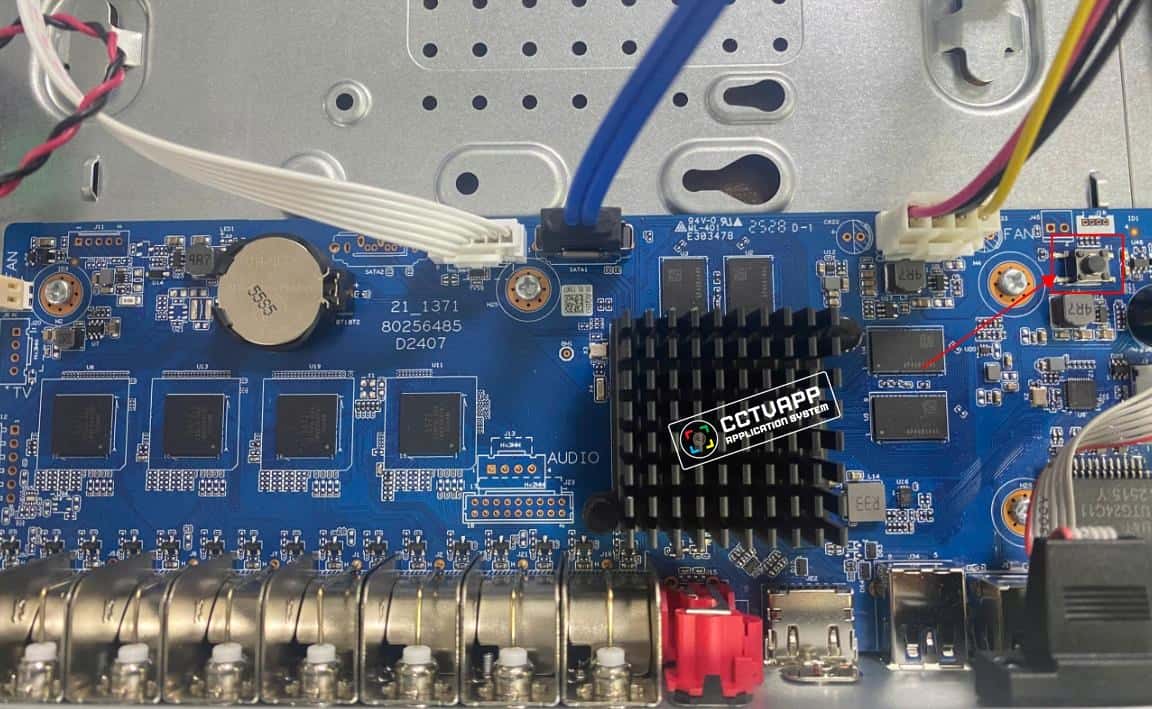
- Step 1: Press and hold the reset button as shown in the picture
- Step 2: Plug in the receiver and continue to hold the reset button for about 30 seconds, then release it (still holding the power button)
- Step 3: The receiver will boot up and return to the default state. Go to the device’s default IP address (192.168.1.108) to reset the new password
Good luck!
Kbvision Settings
Instructions for resetting KX-DAi8116T-5M password
09
Oct
Oct

