Skip to content
  • Hello, have a nice day!

  • Login
  • Register
  • Login
  • Register
CCTVAPP.NET
  • Home
  • Software

    Mobile Application

    ConfigTool Mobile
    SADPTool Mobile
    Onvif View - Beta
    DAV Player
    Get RTSP Camera
    See more ...

    Windows & MacOS

    Monitoring software, configuration tool on Windows computers

    Download

    MacOS

    Summary of Camera monitoring applications for MacOS

    Download

    Domain Name System

    DDNS Domain Name Server Solution for Camera

    Download
  • Source Code

    Source Code

    CCTV APP Project
    HTTP API
    Onvif SDK
    Other Source Code
    See more ...

    Hikvision SDK

    Source and API documentation for Hikvision devices

    Download

    Dahua SDK

    Source and API documentation for Dahua devices

    Download

    UNView SDK

    UNView Device API and Source Code Documentation

    Download
  • Solutions

    Solution

    Smart Home
    WiFi - WiFi Marketing
    VPN (Virtual Private Network)
    See more ...

    Hikvision Solutions

    Synthesis of security monitoring solutions from Hikvision.

    Download

    Dahua Solutions

    Summary of security monitoring solutions from Dahua

    Download

    Kbvision Solutions

    Summary of security monitoring solutions from Kbvision

    Download
  • Technical Gui

    CCTV APP

    Technical guidance

    Technical Guidance

    Technical document
    Open Port - NAT Port
    Camera RTSP Link
    MJPEG Stream URL
    Bandwidth & Decode
    List of compatible HDDs

    Technical Video

    Basic Instructions
    Settings KB.ONE - IMOU
    Settings Dahua - Kbvision
    Settings software
    Free Domain Name Setup

    Quality Demo Video

    Quality Camera Kbvision
    Quality Camera Dahua
    Quality KBONE - IMOU
    Quality Hikvision - Ezviz

    Installation Instructions

    Kbvision Camera Settings
    Dahua Camera Settings
    IMOU Camera Settings
    Hikvision Camera Settings
    Other Camera Settings

    Reset Password

    Hard reset IP Camera
    Hard reset NVR
    Hard Reset DVR - XVR
    Video Intercoms

    Download Firmware

    New P2P for Kbvision Recorder (vietnamese)
    Use for Kbvision (vietnamese)
    Use for Dahua - IMOU (Private)
  • Tools

    Quick Calculator

    Check Port - Open Port
    Super Password Hikvision
    Reset Password Total

    Disk Calculator

    Calculate the required recording capacity.

    Tính ngay

    Bandwith Calculator

    Calculate network bandwidth traffic.

    Tính ngay

    4G Calculator

    Calculate the amount of 4G Data needed.

    Tính ngay

    Power Consumed

    Calculate the power consump of the camera.

    Tính ngay
  • Contact us
  • English English
    • English English
    • Tiếng Việt Tiếng Việt
Technical document

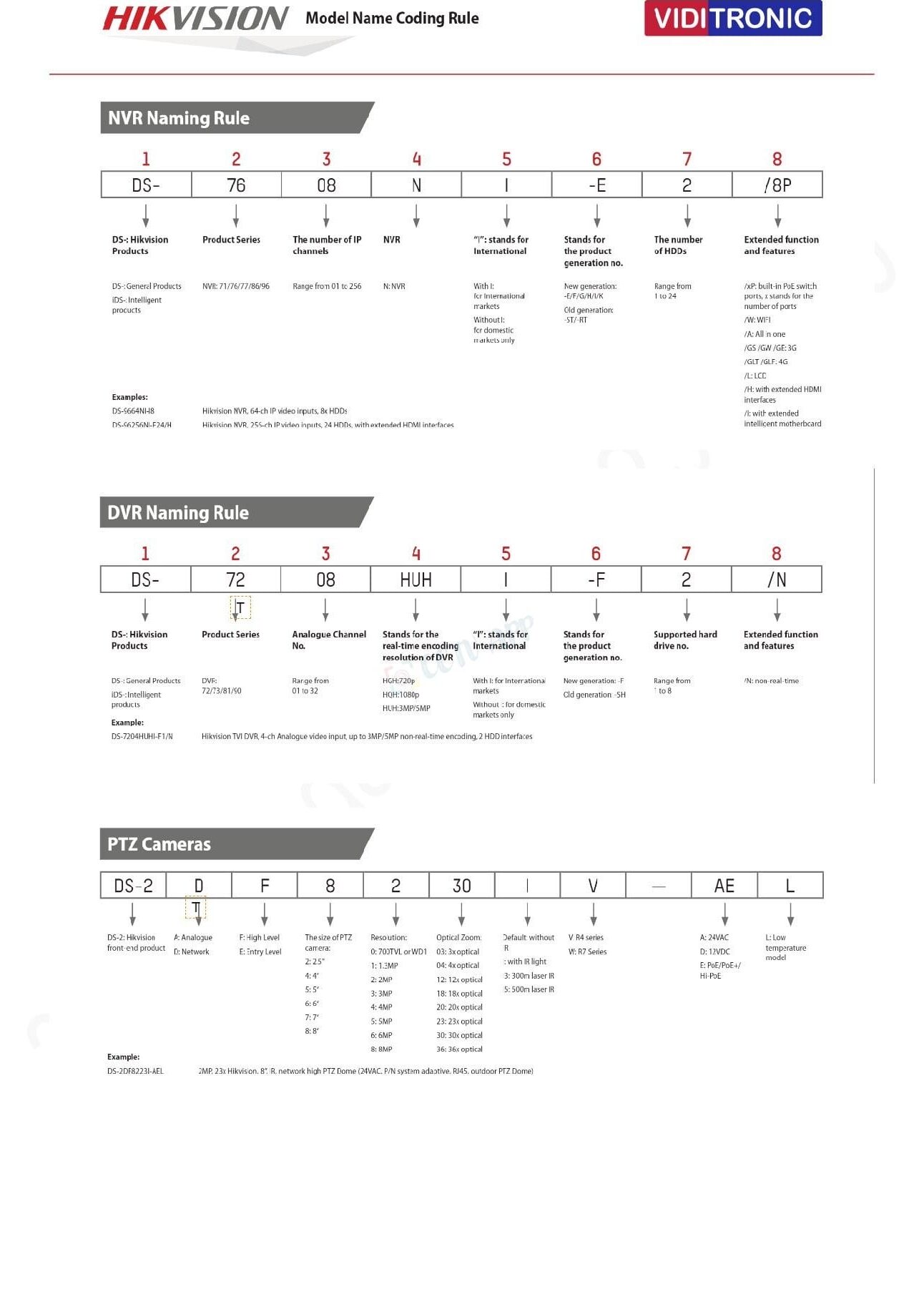
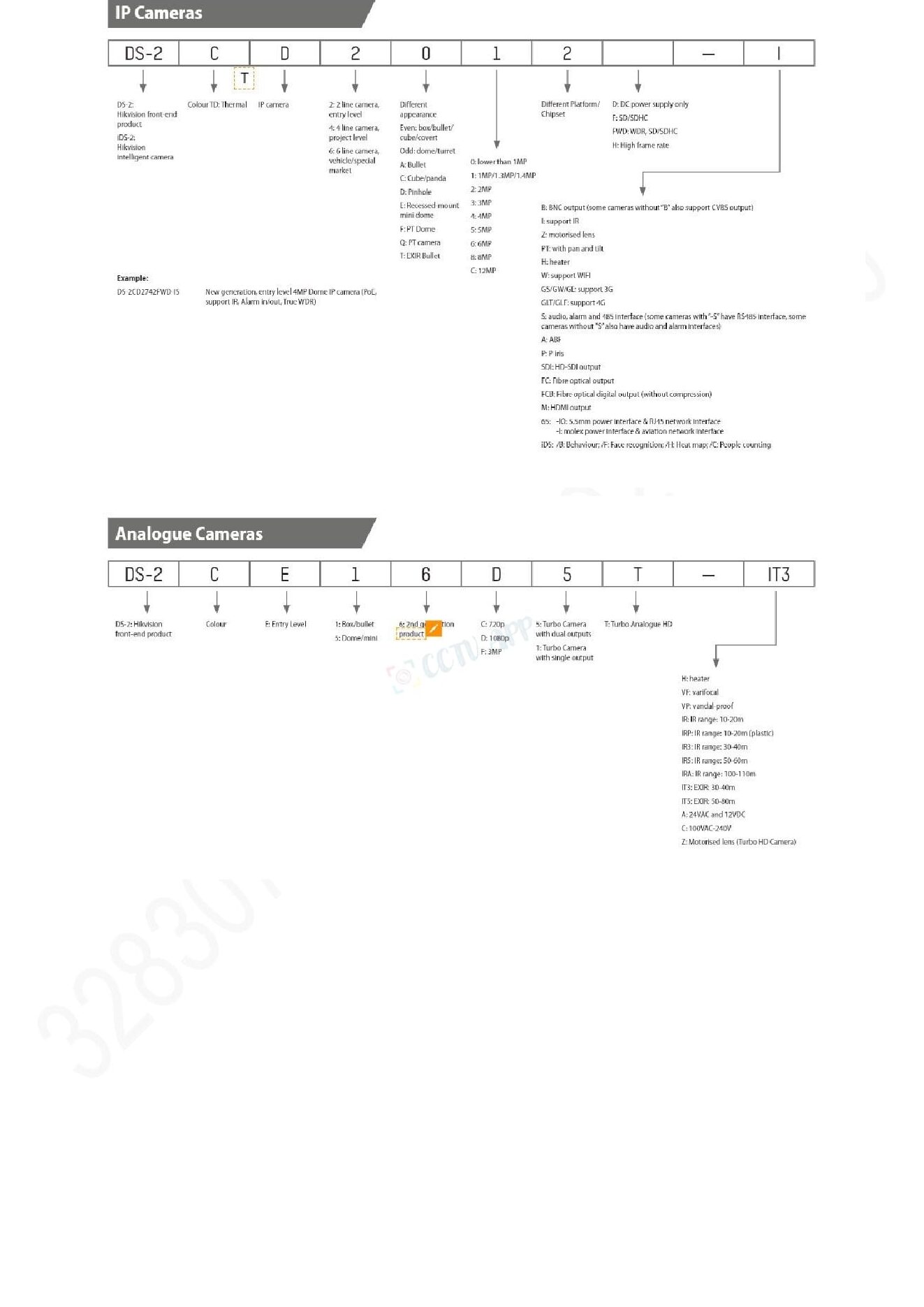
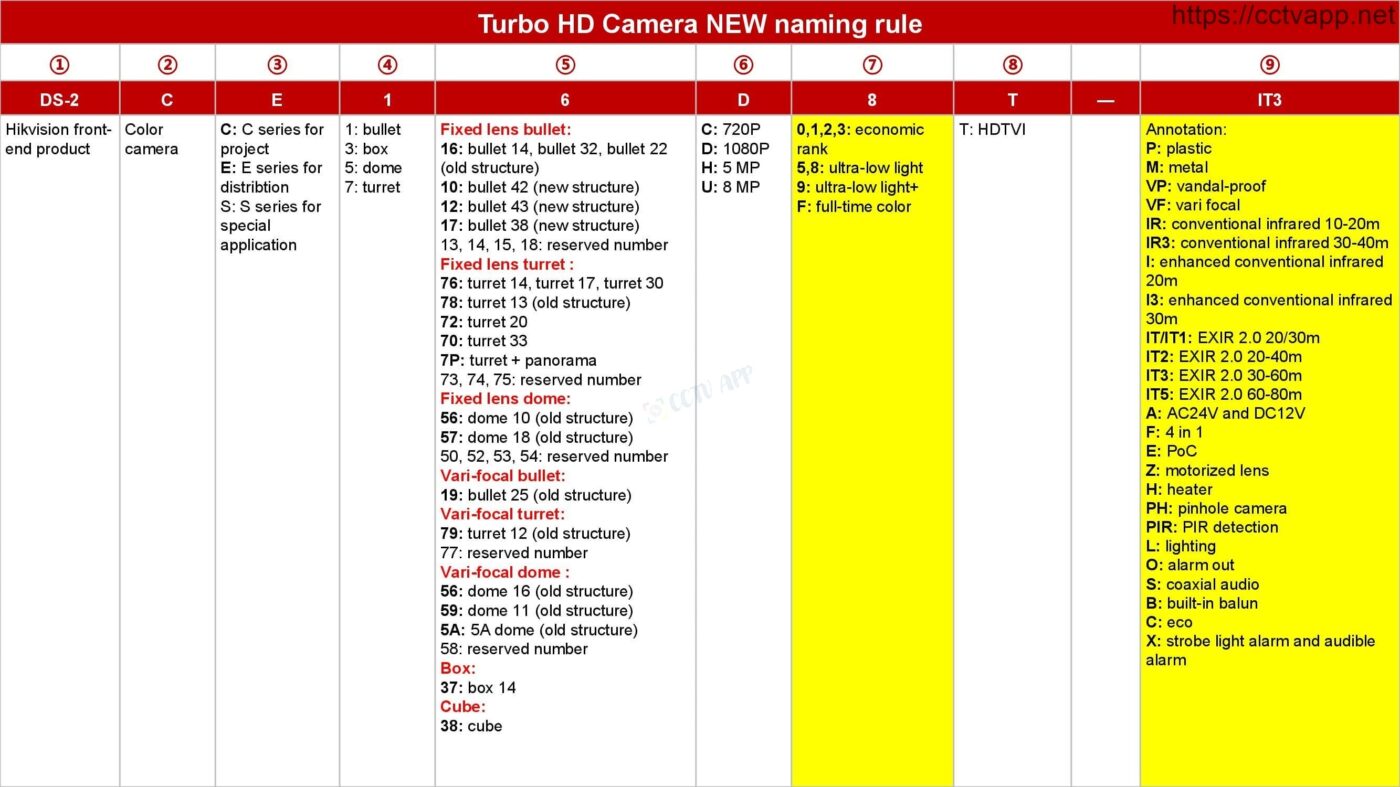
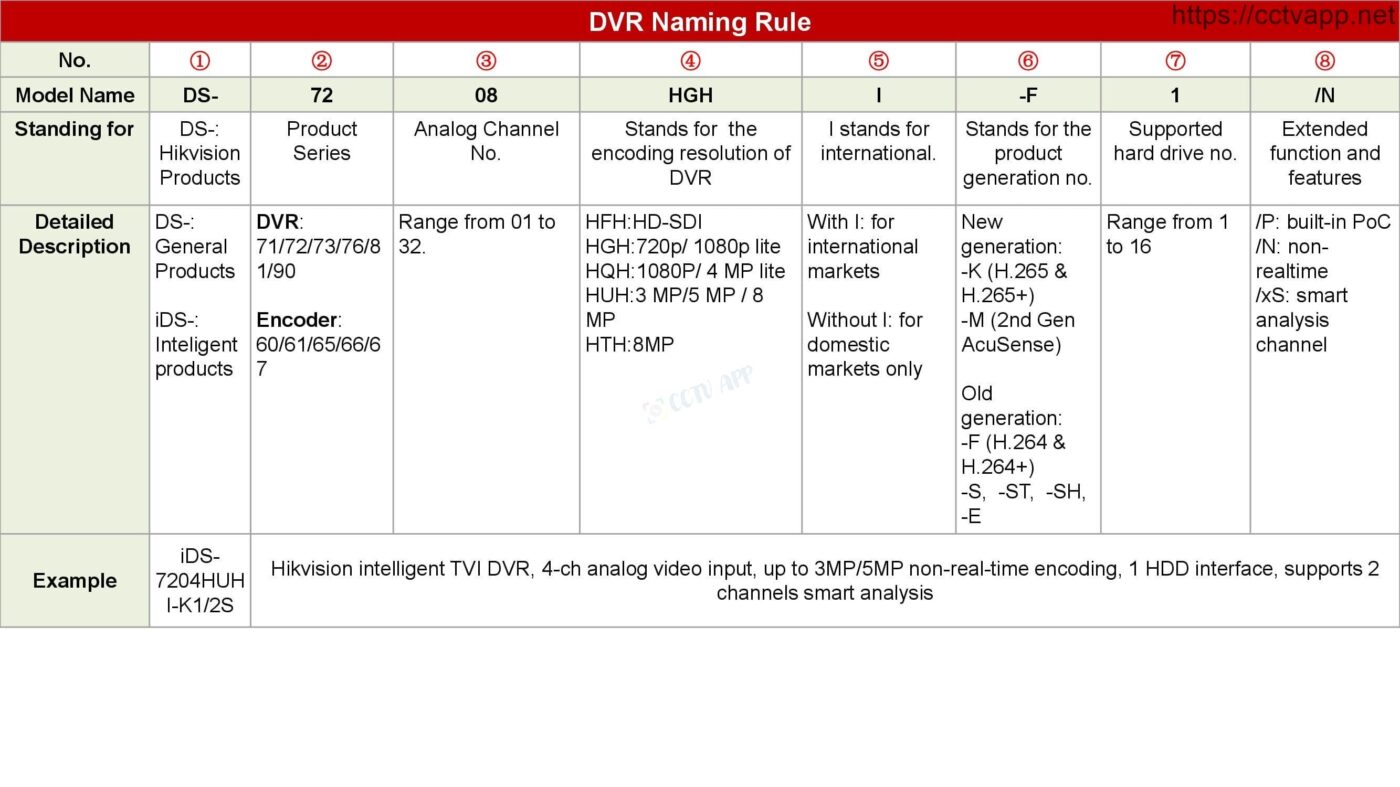
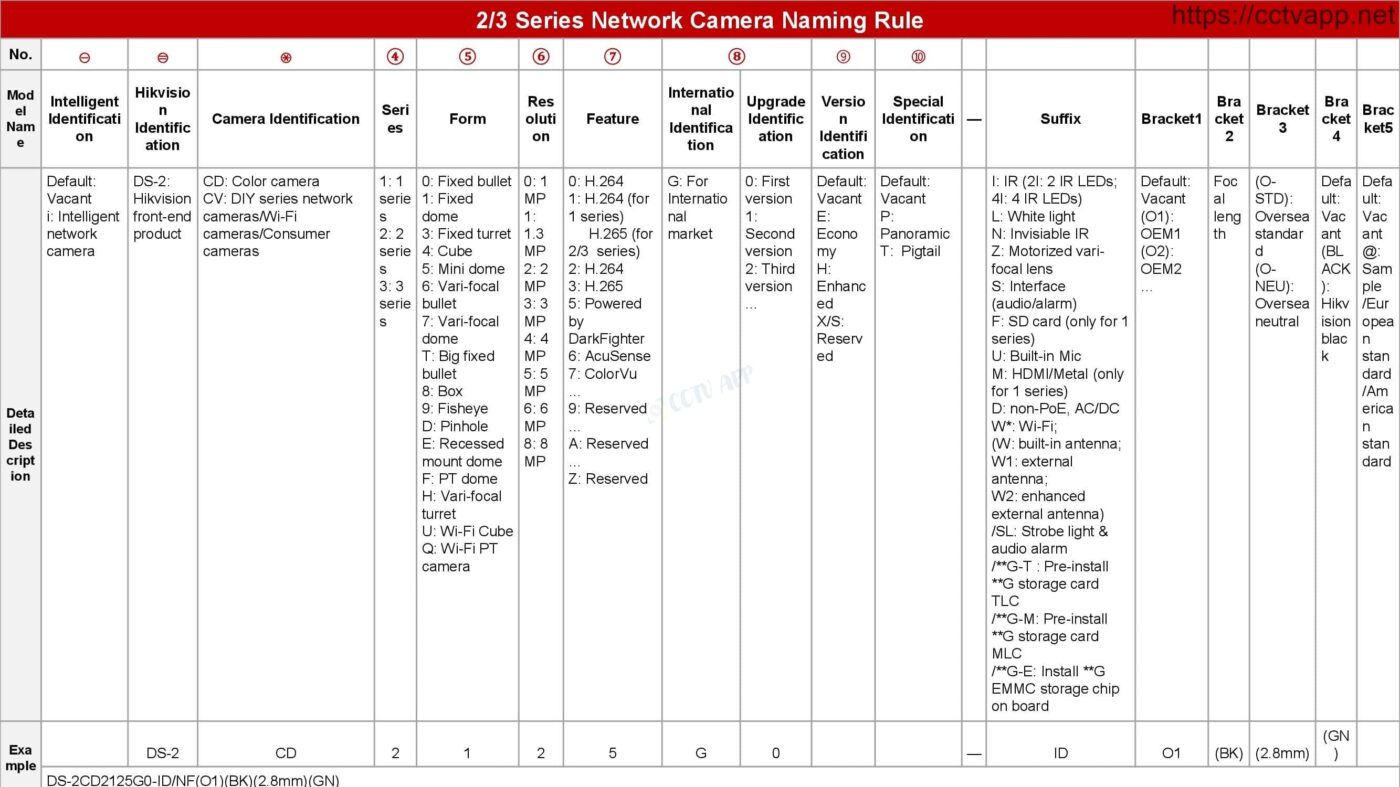
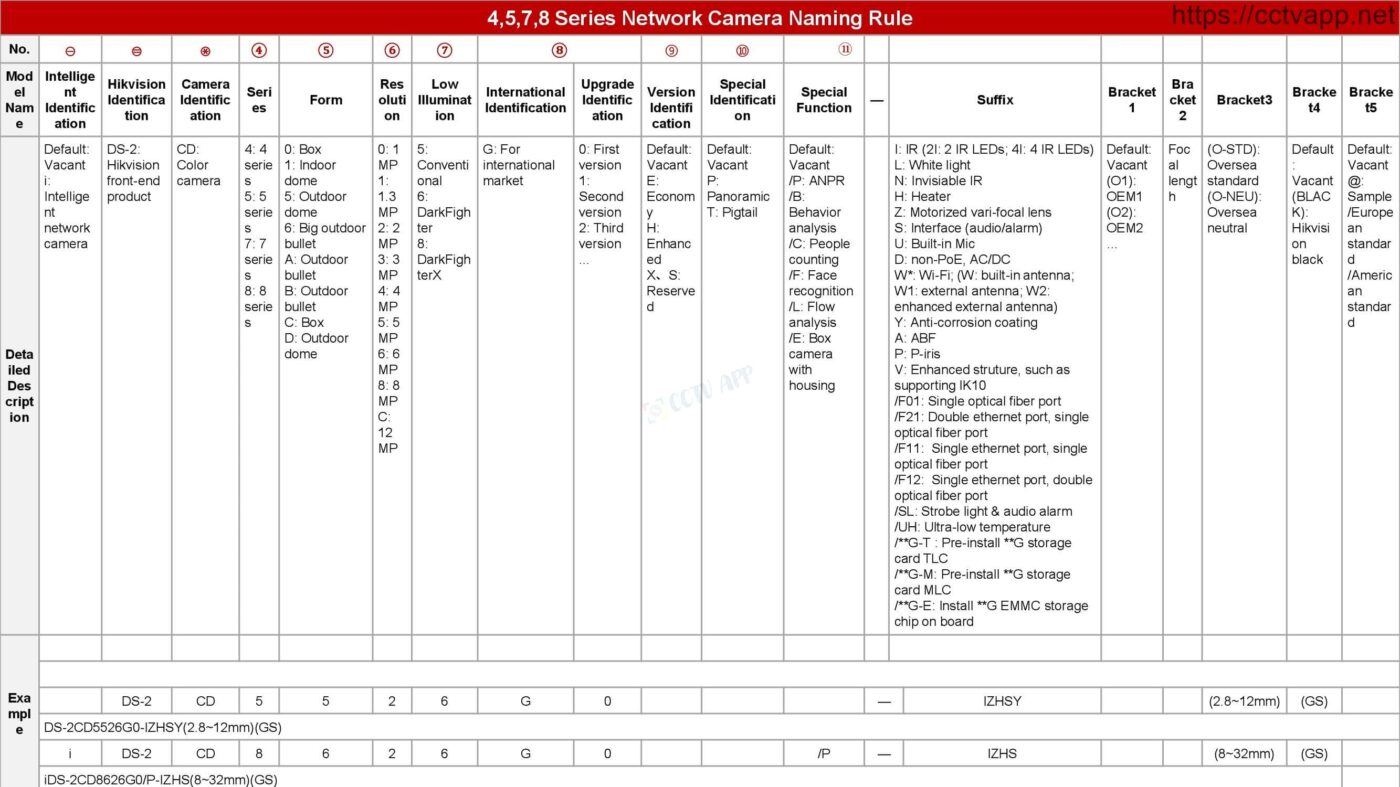
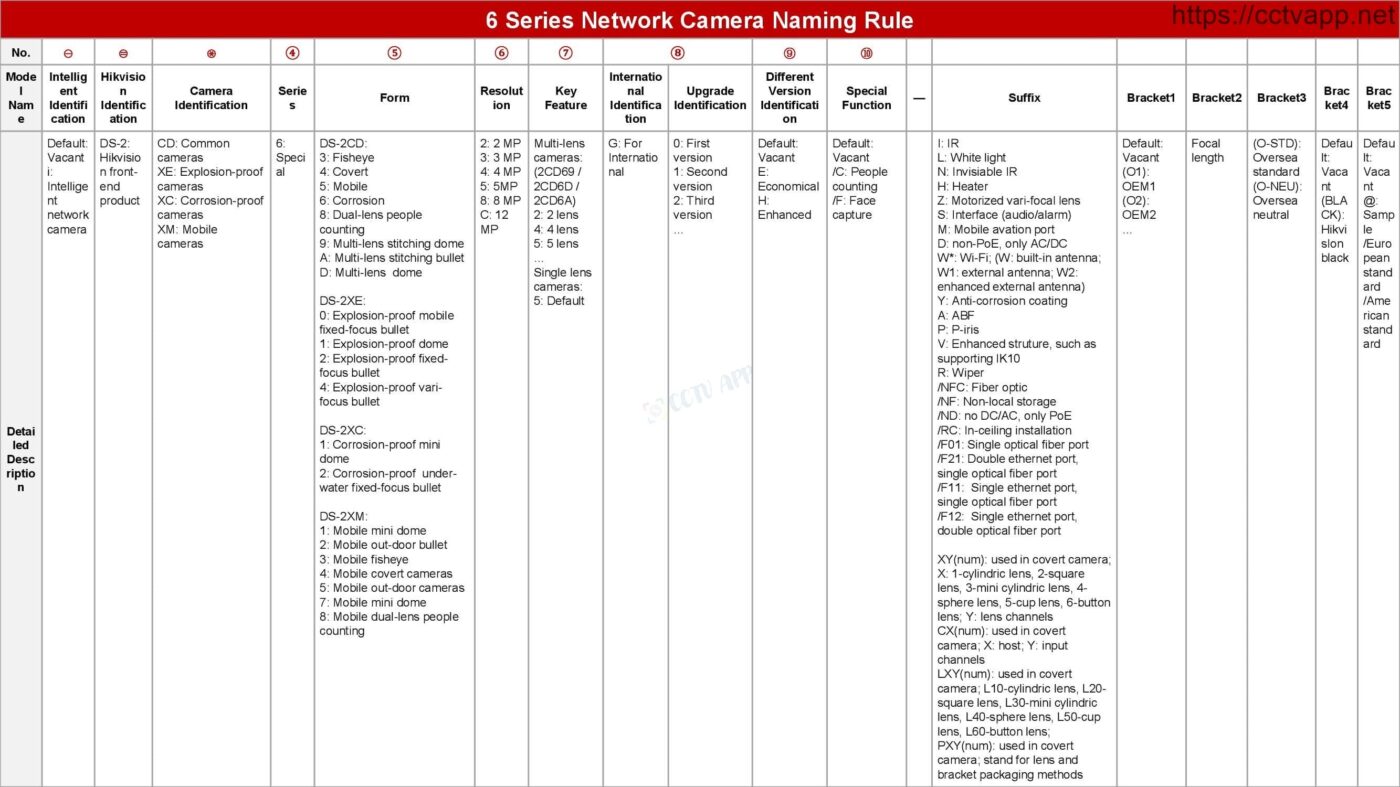
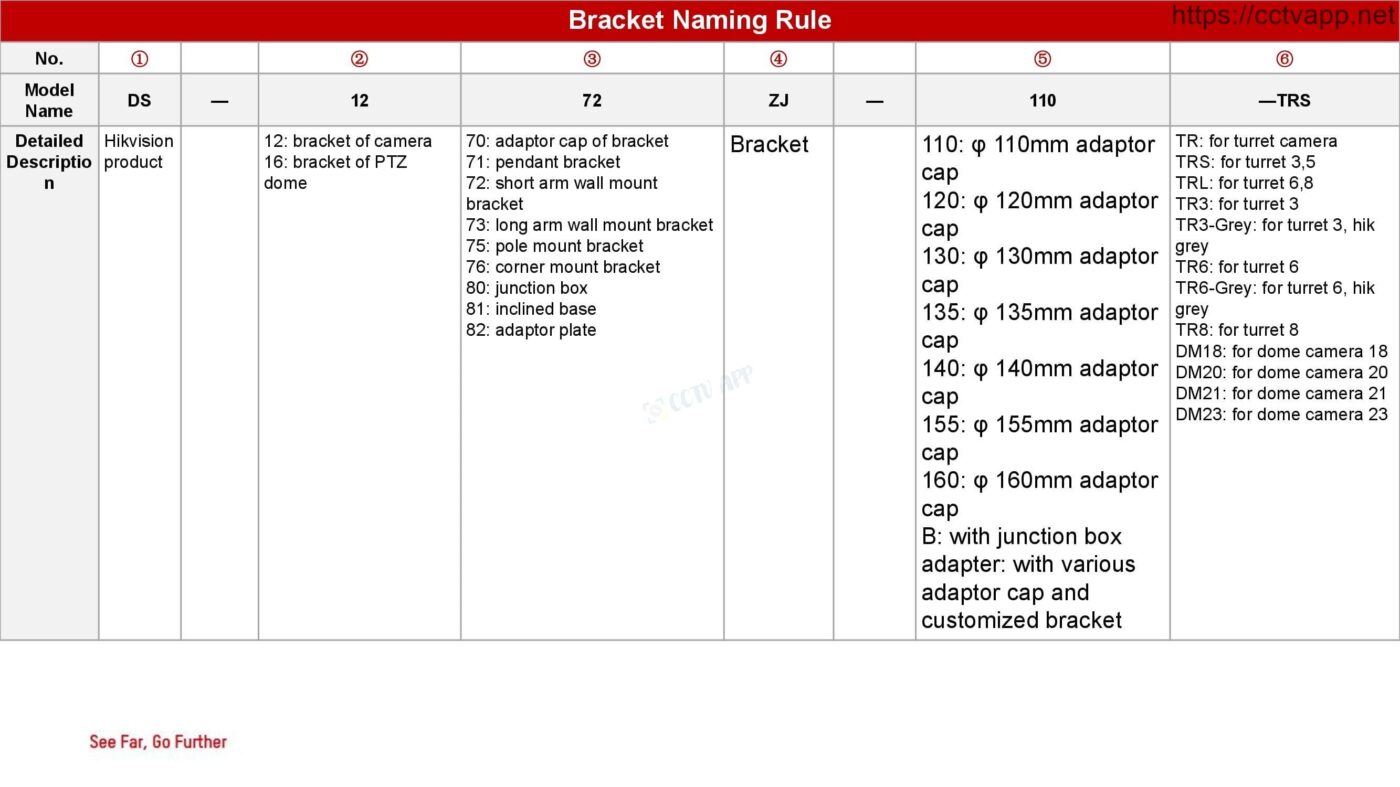
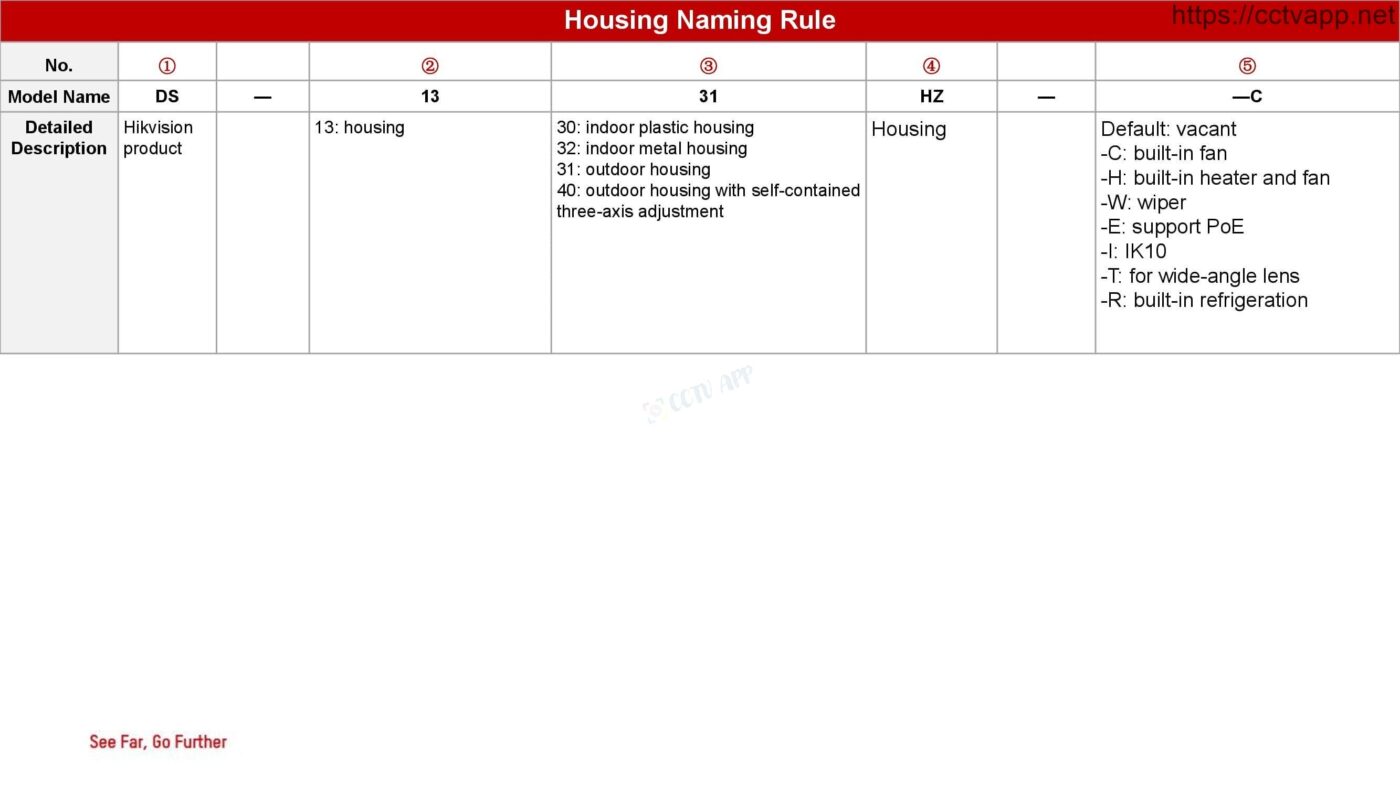
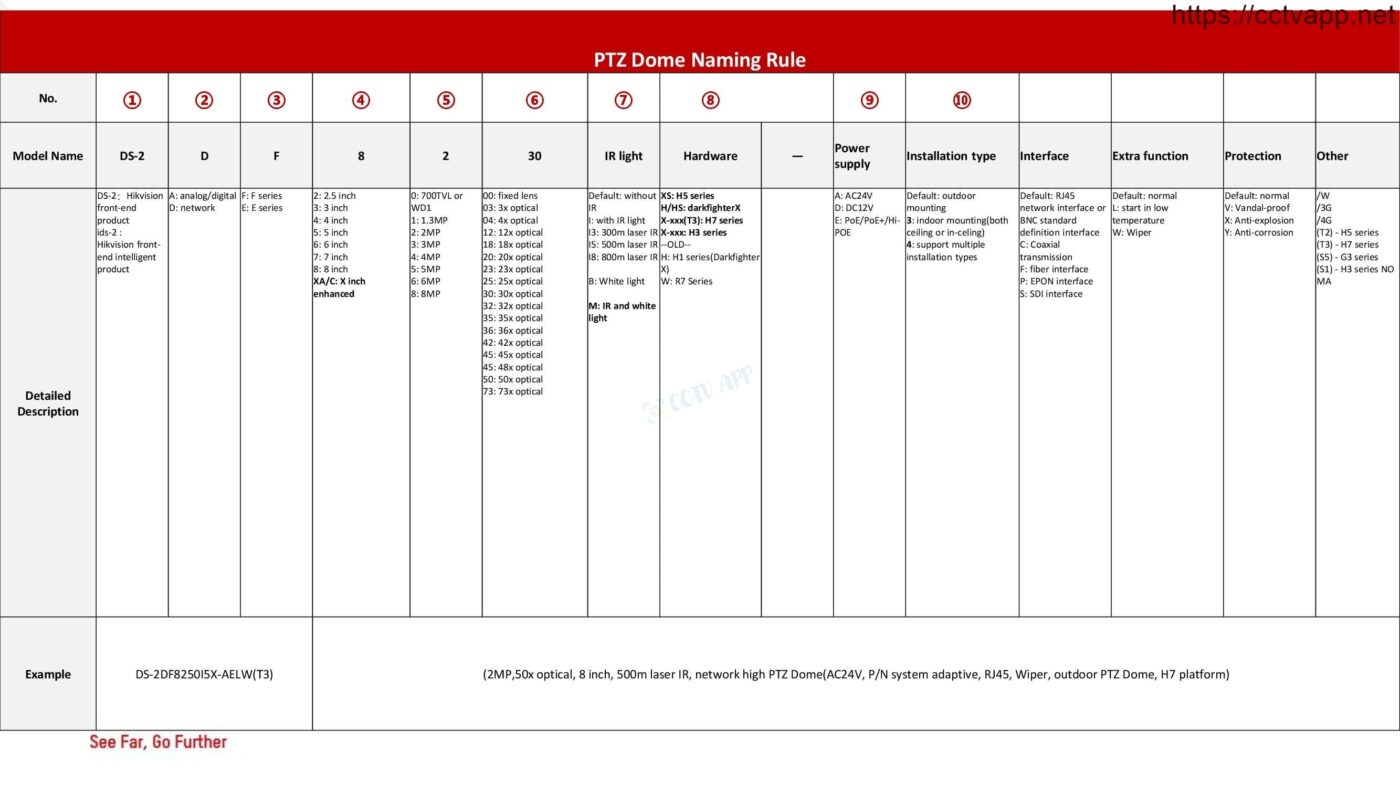
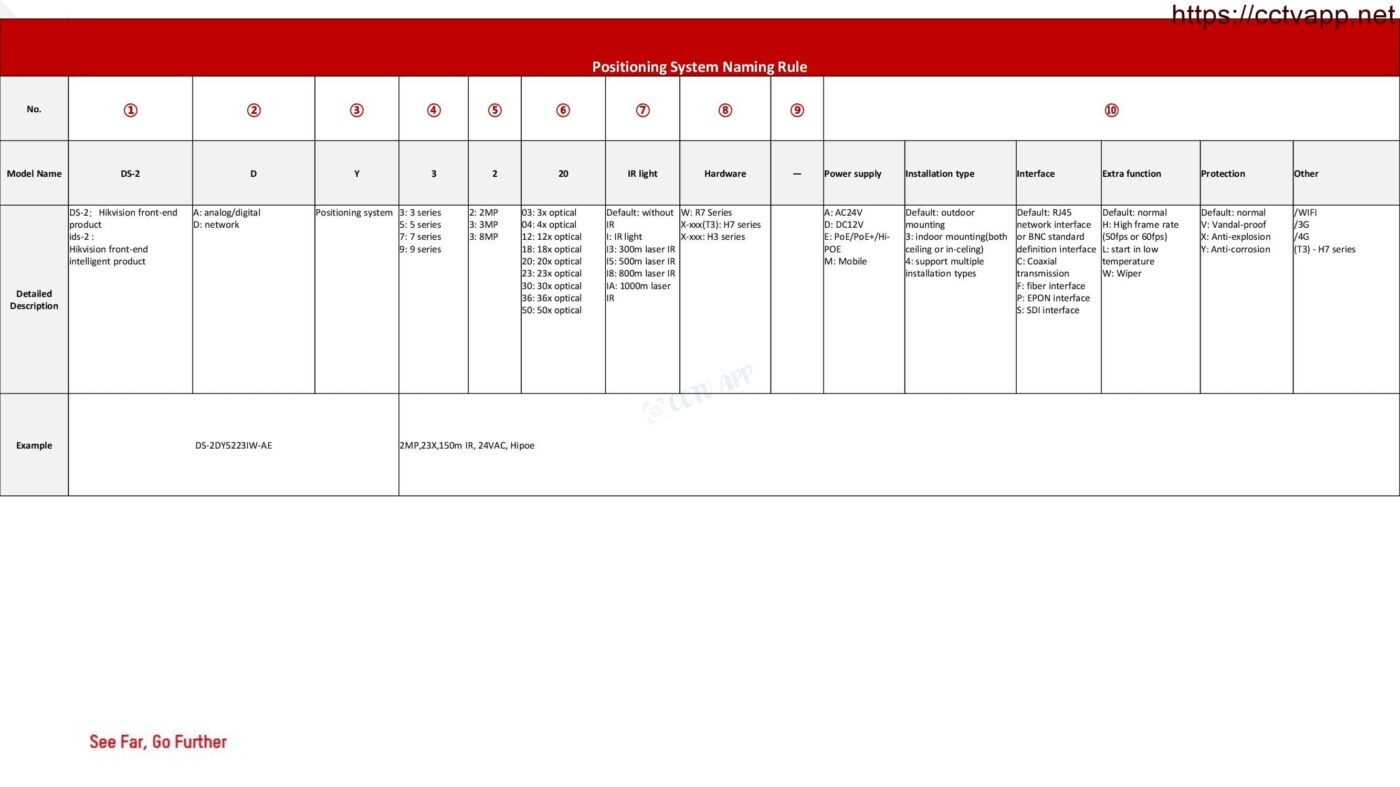
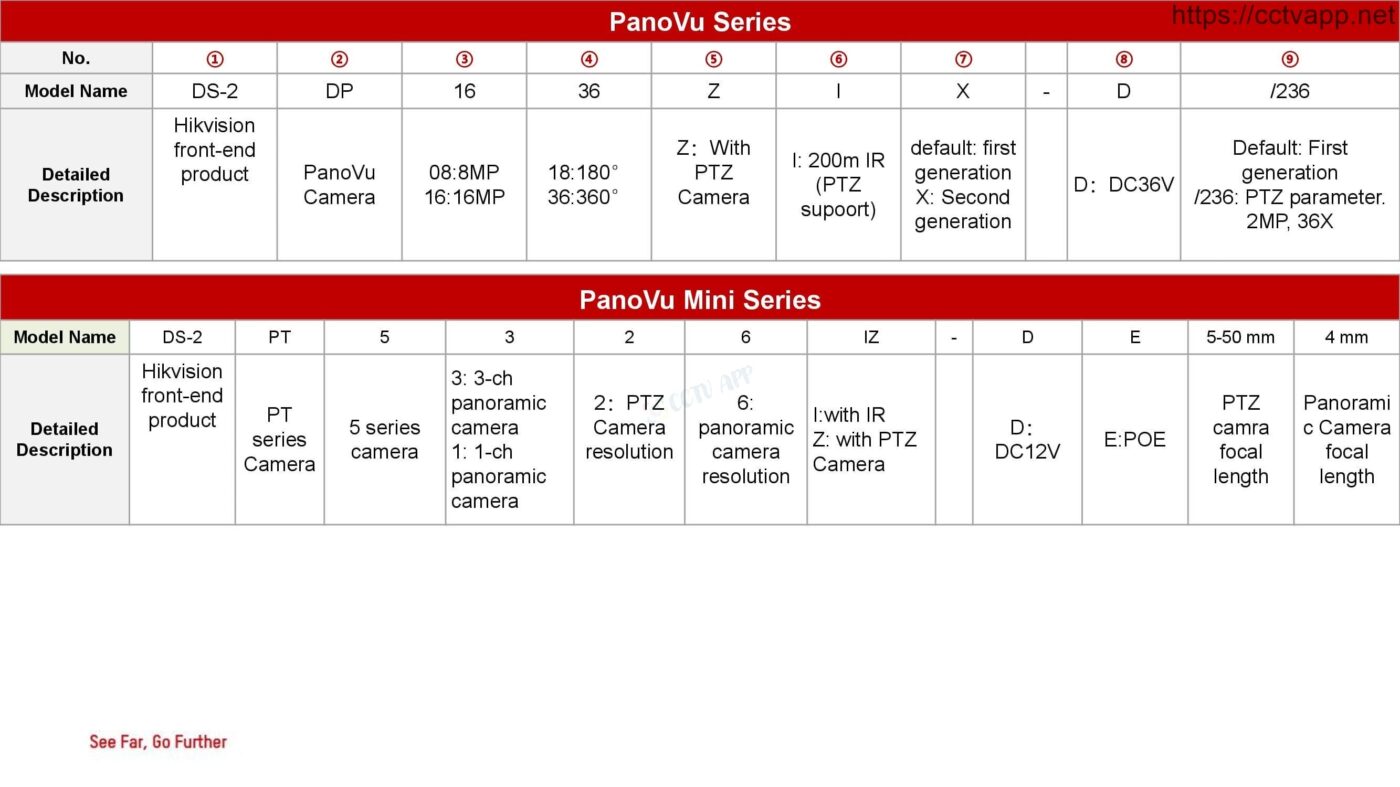
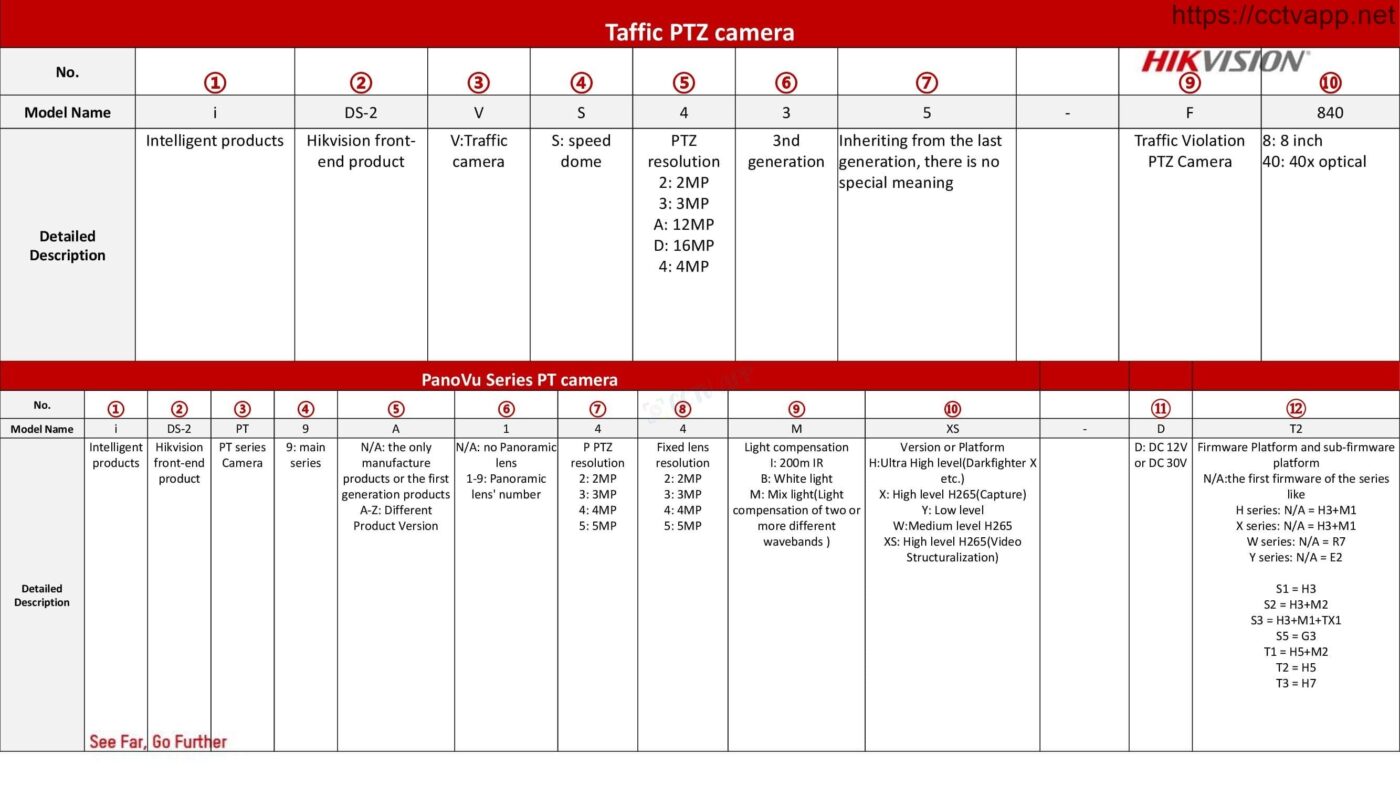
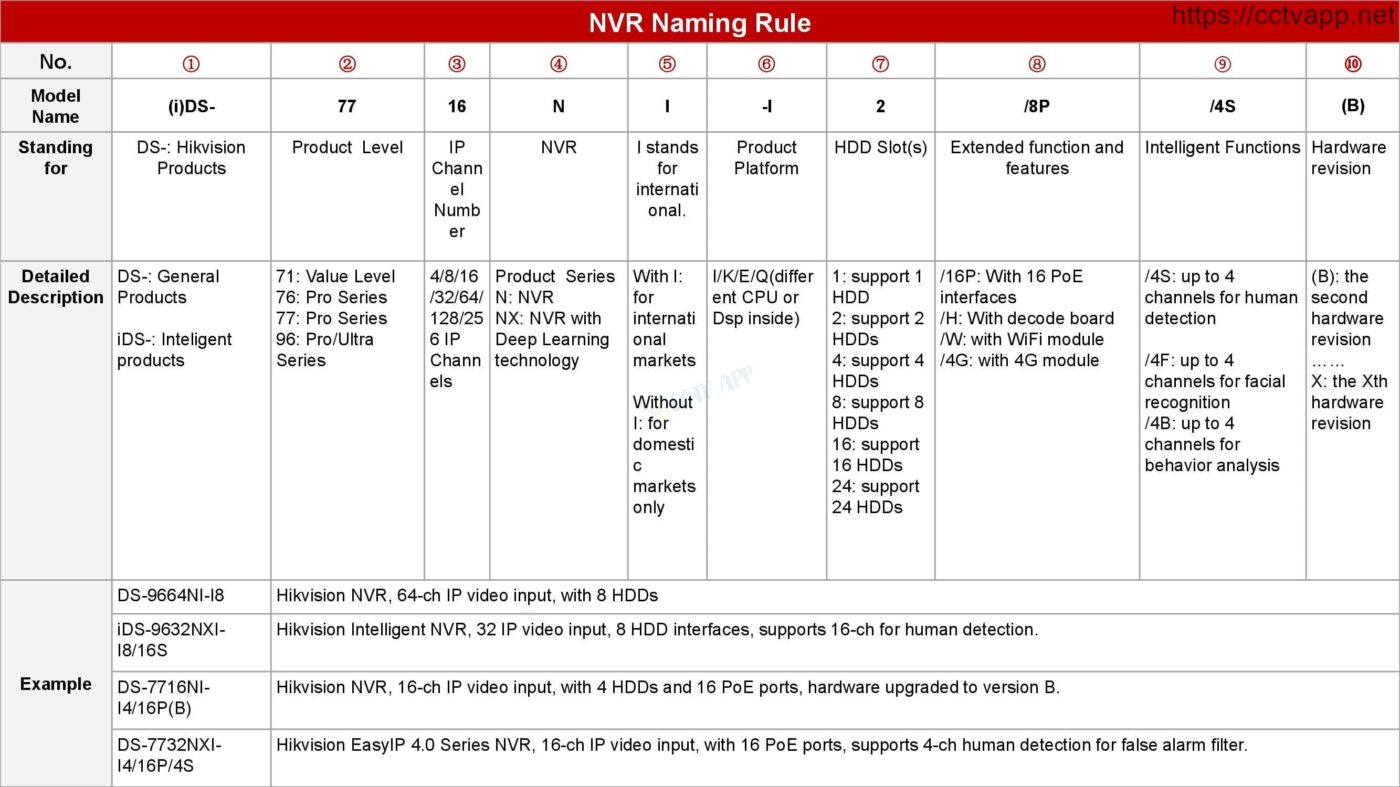
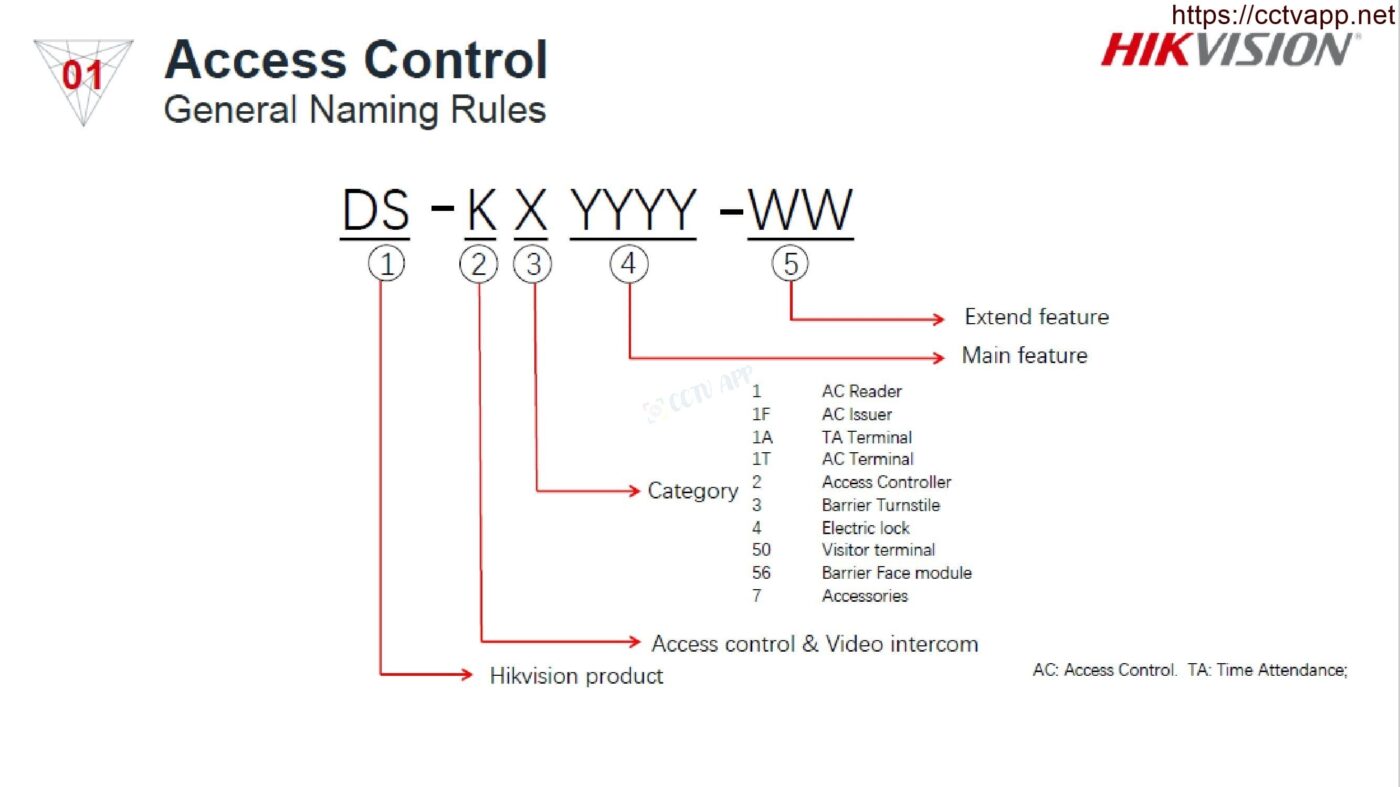
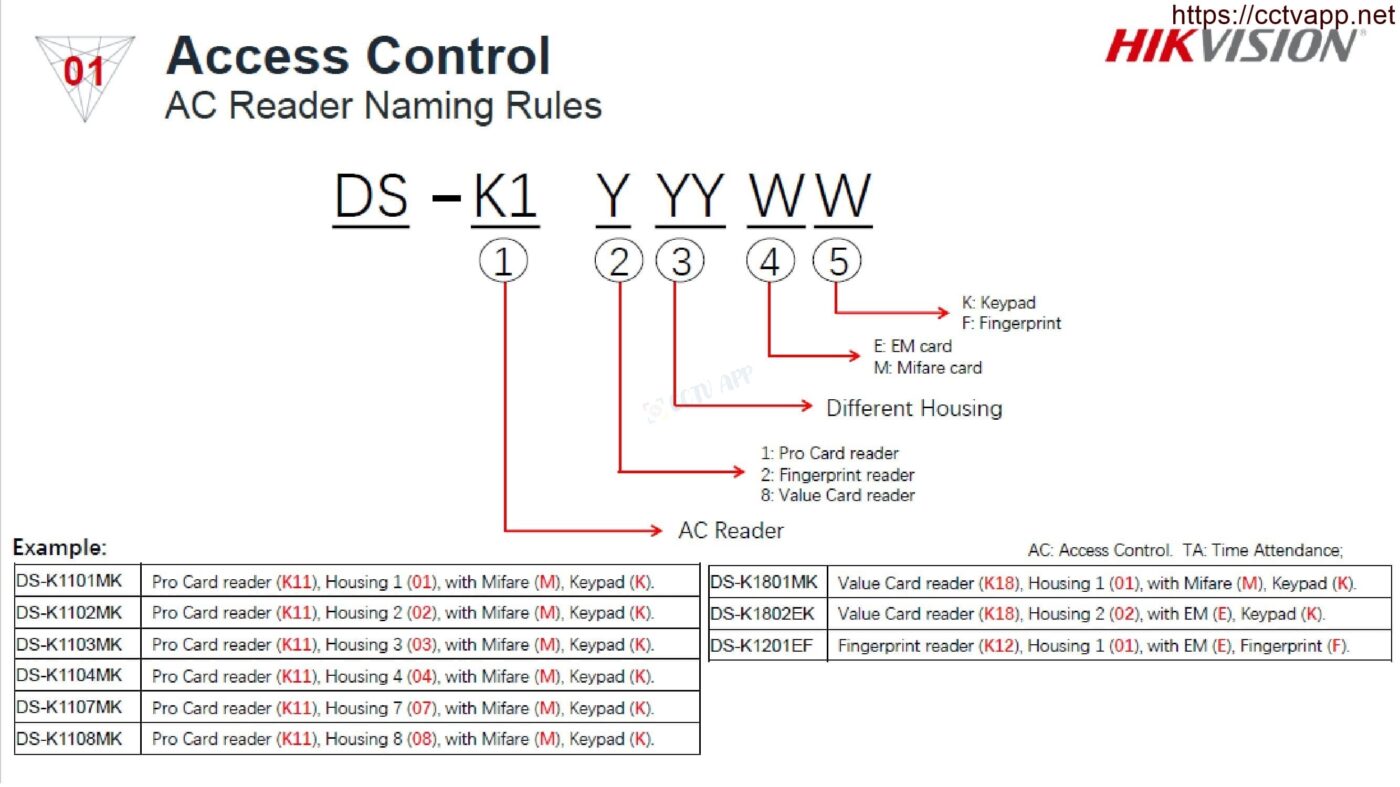
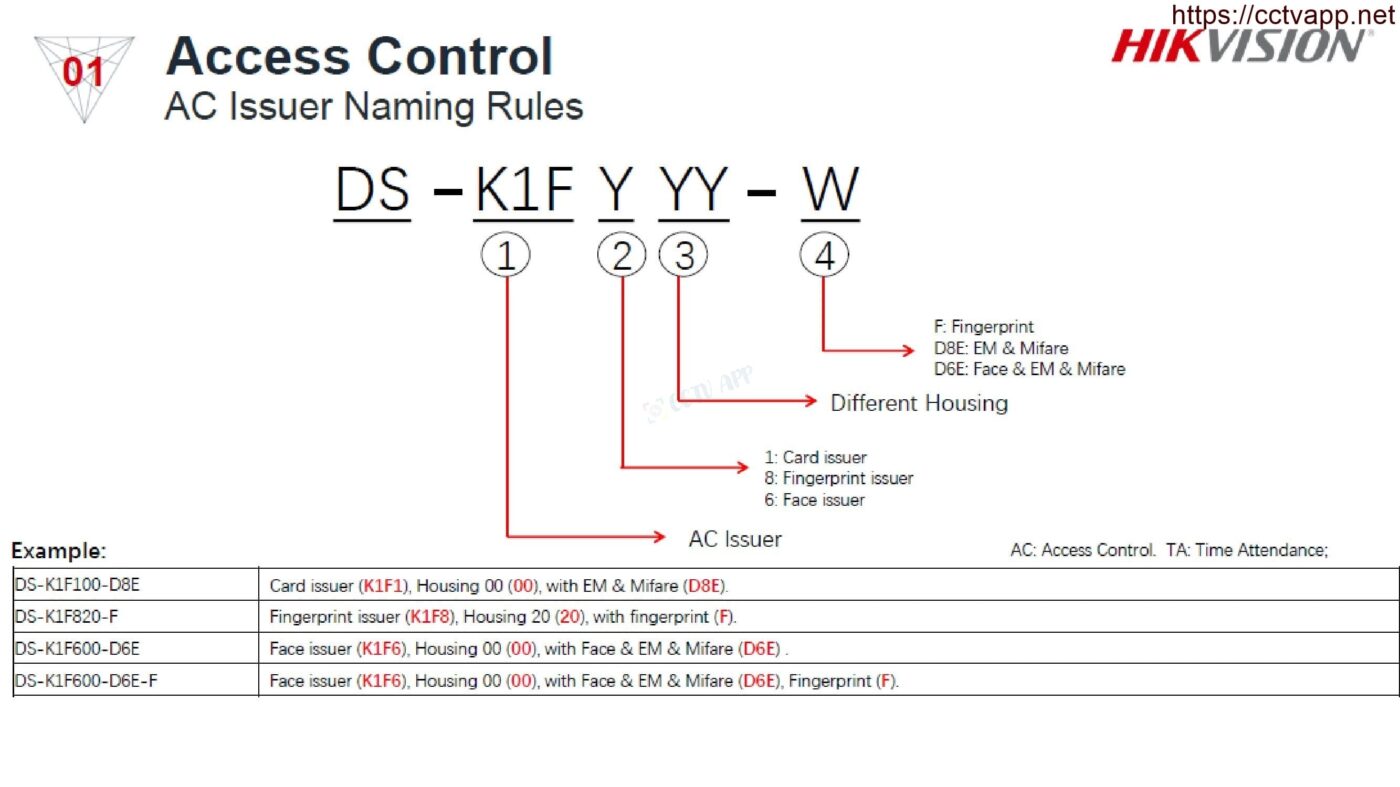
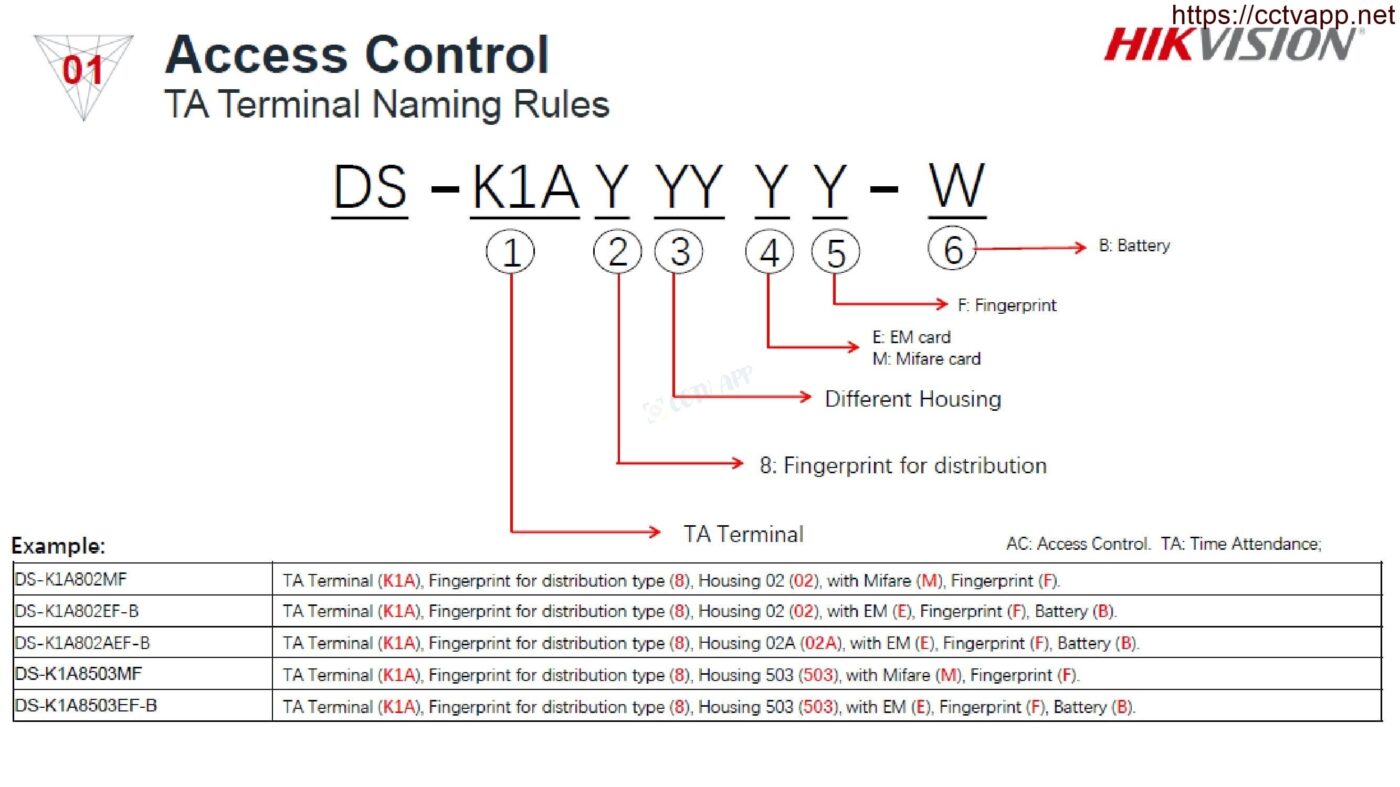
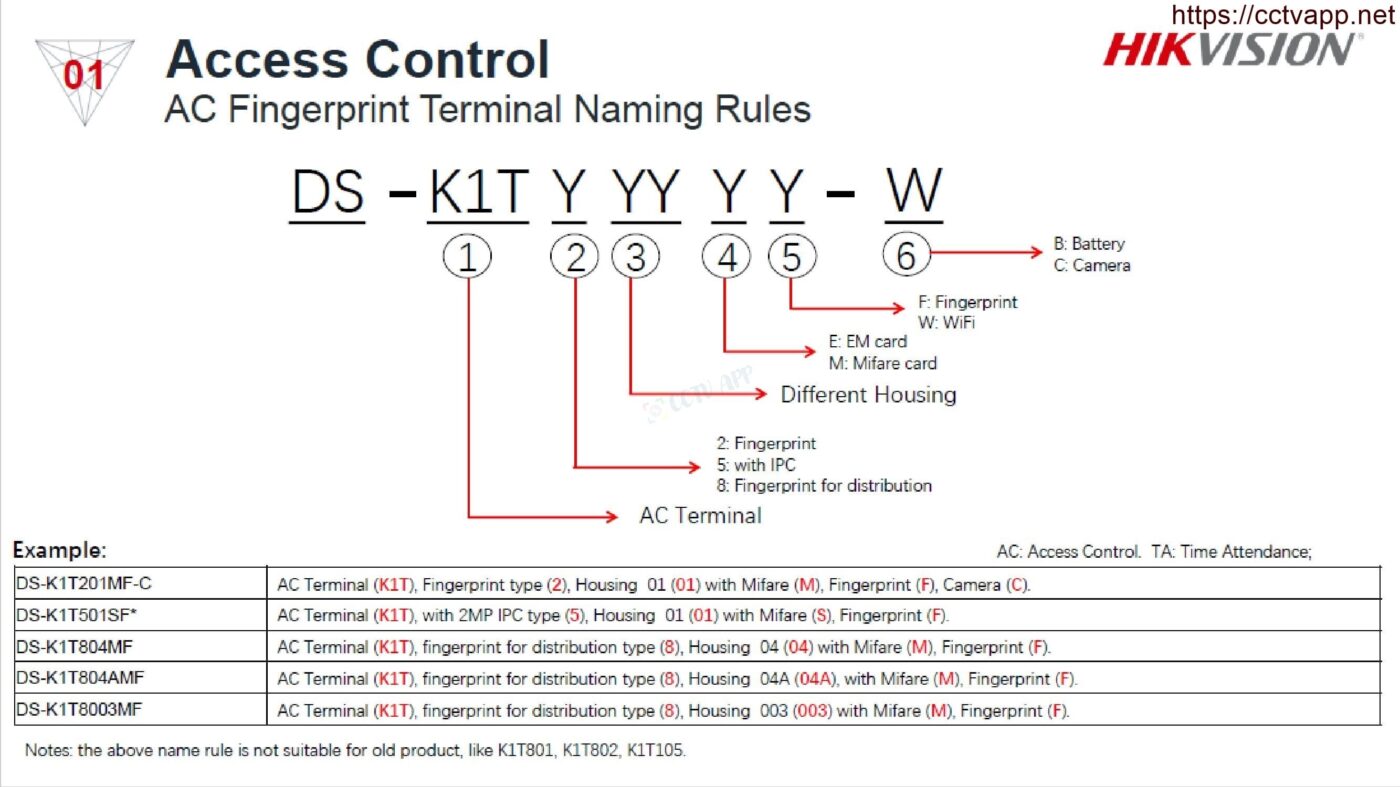
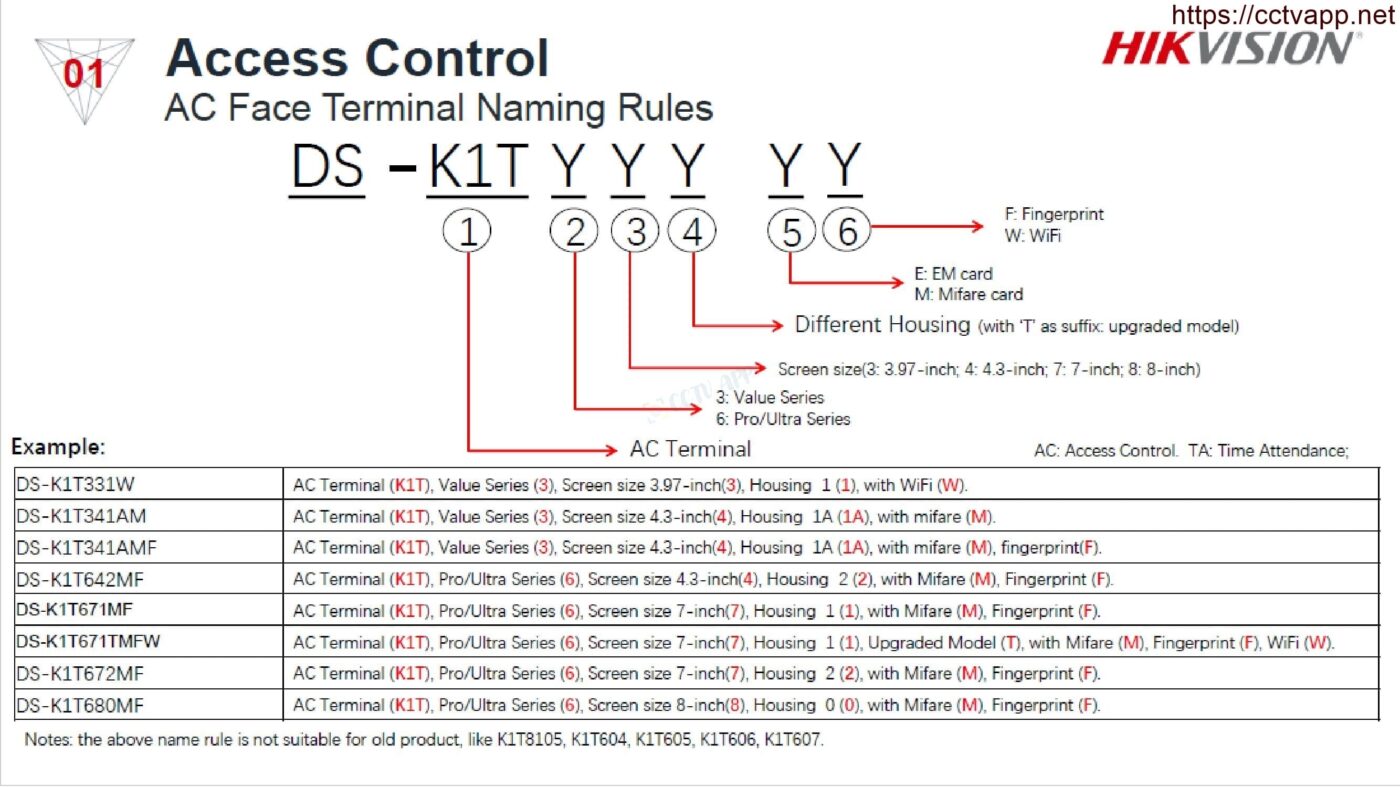
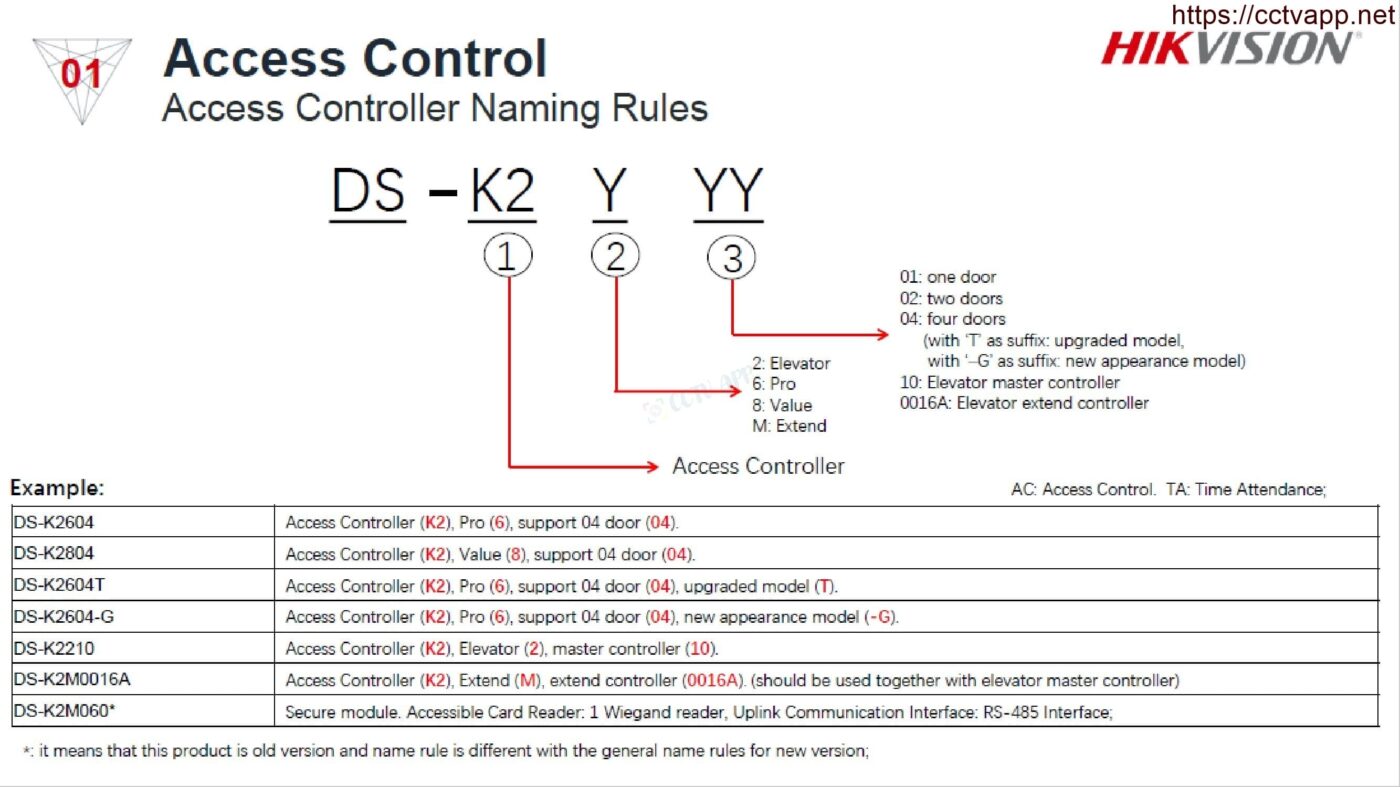
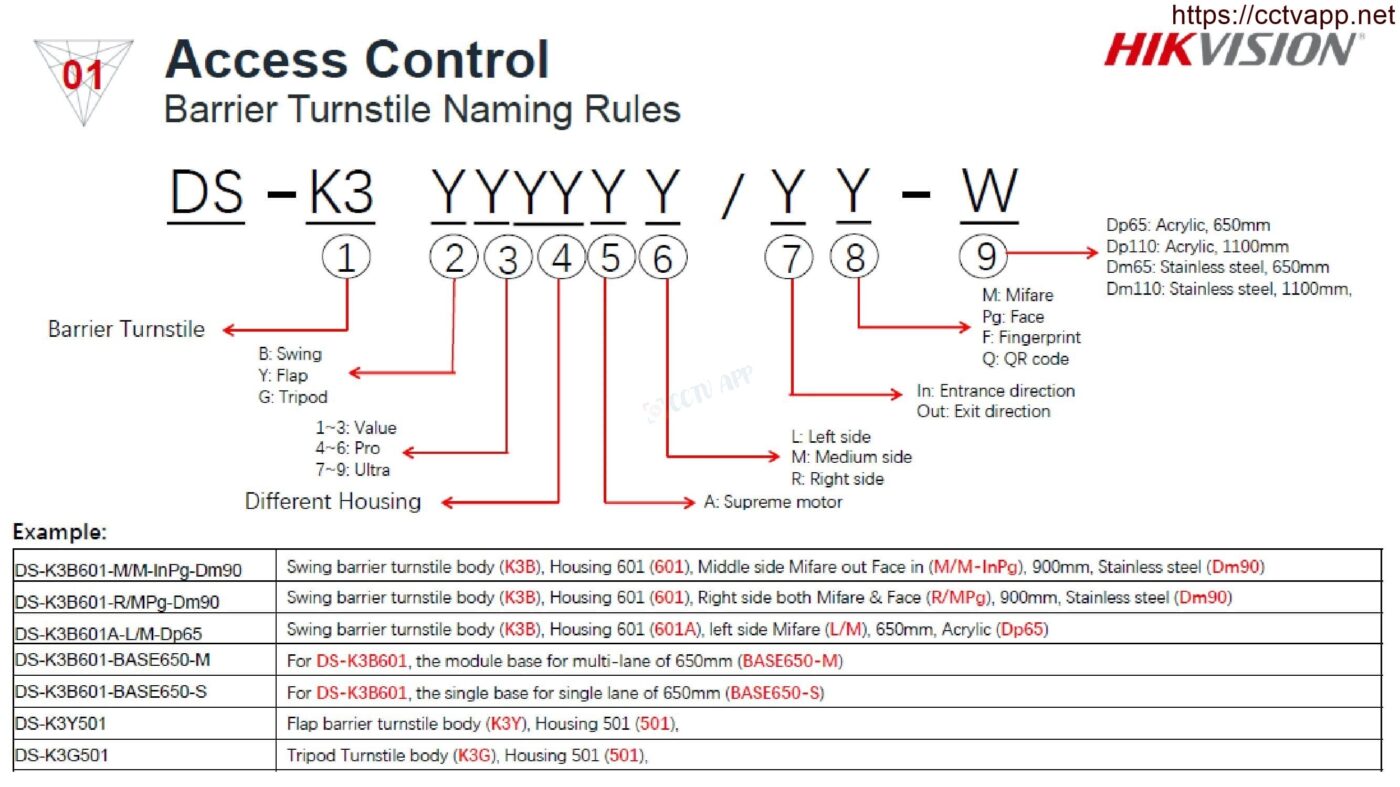
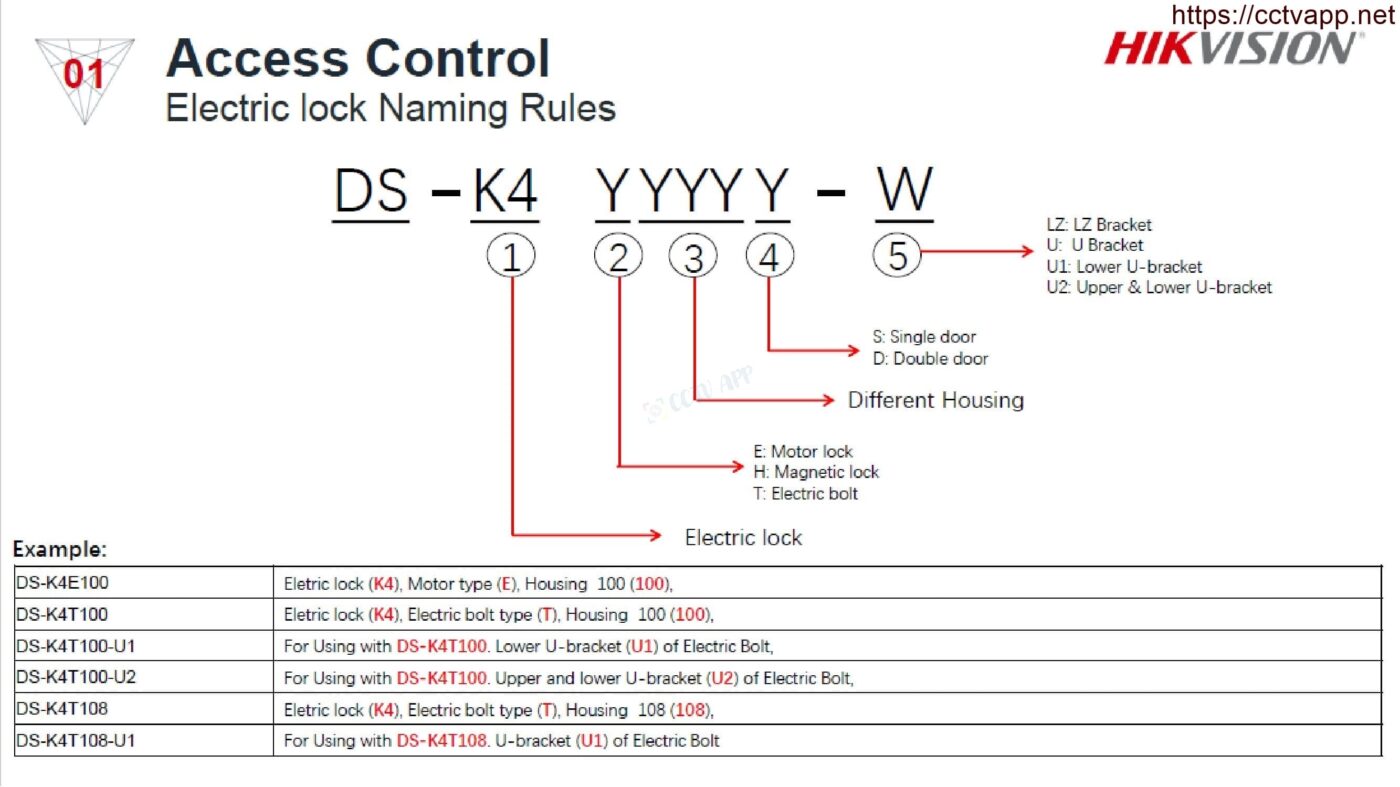
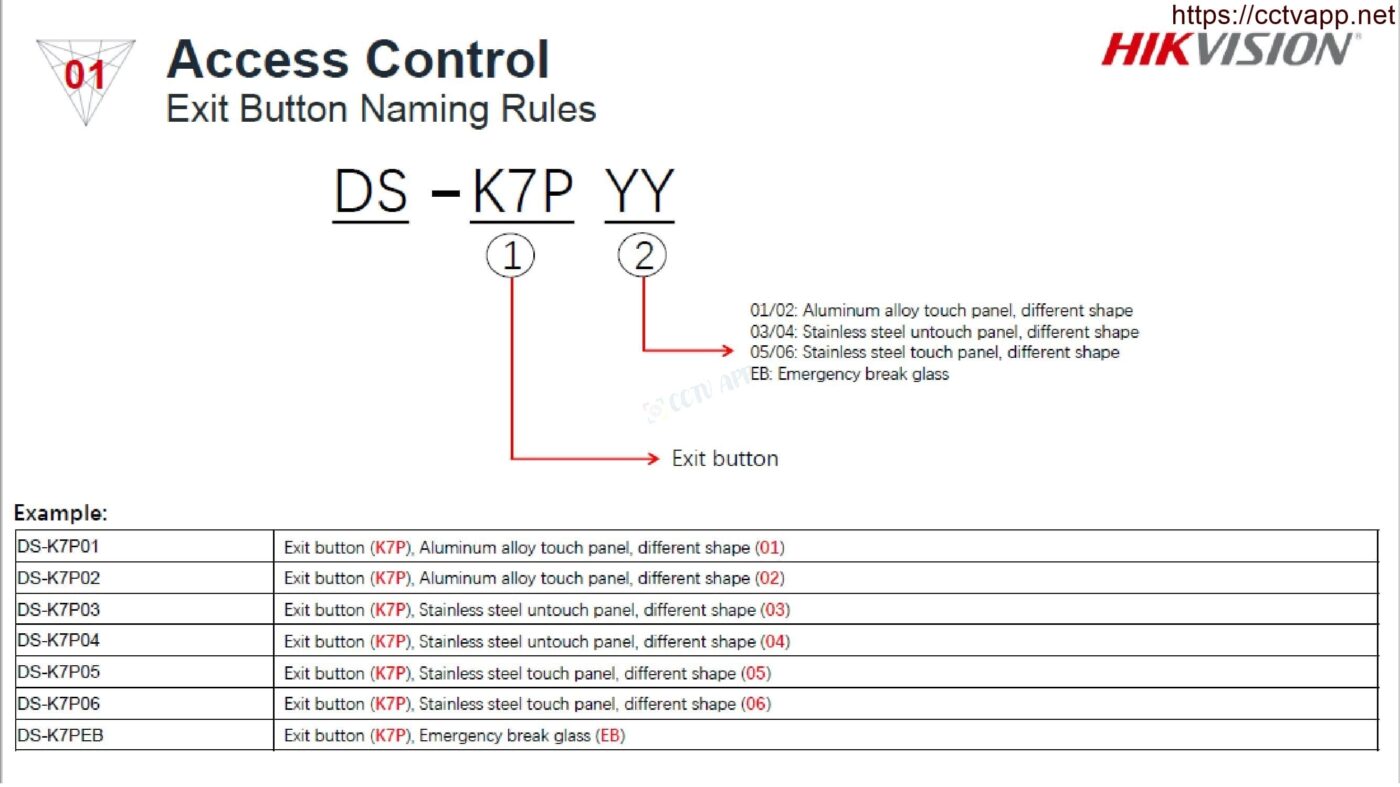
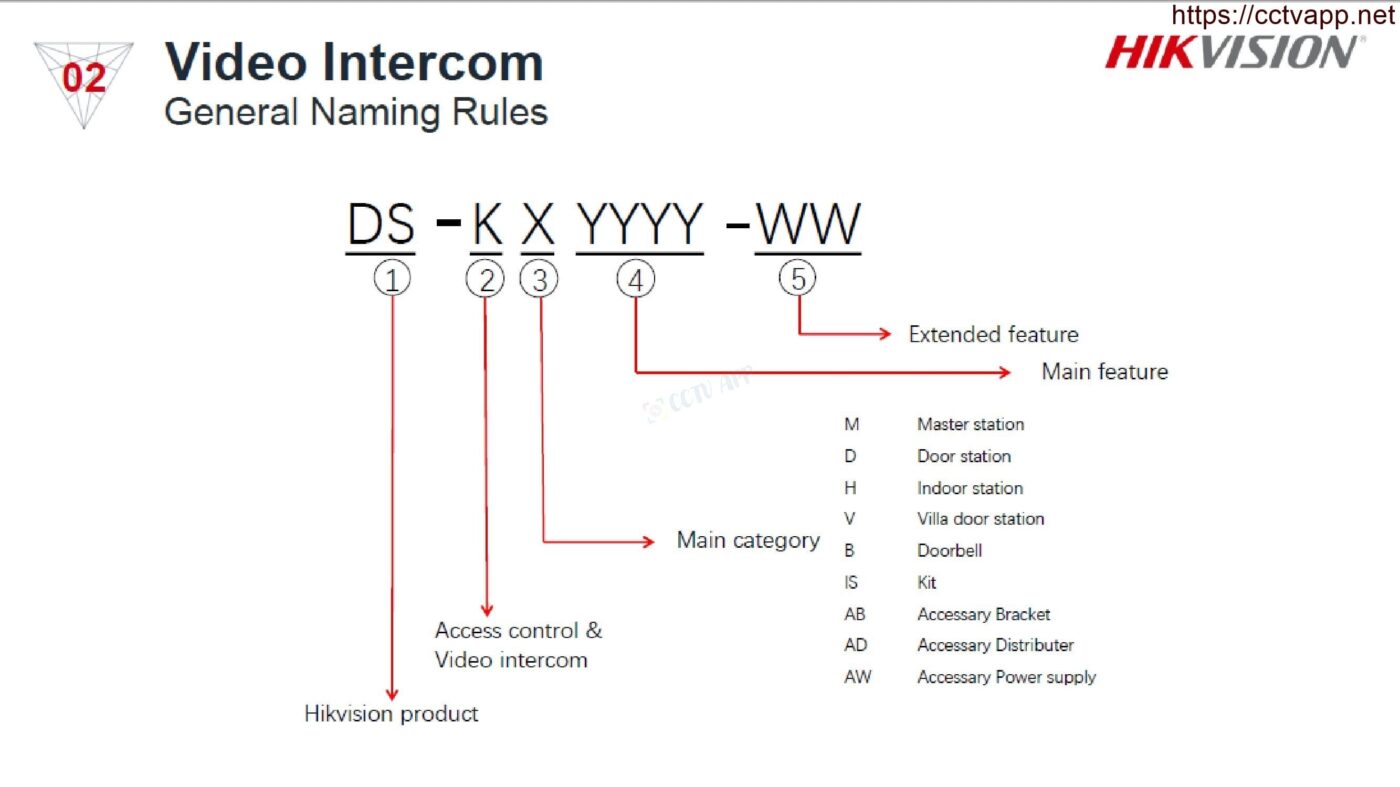
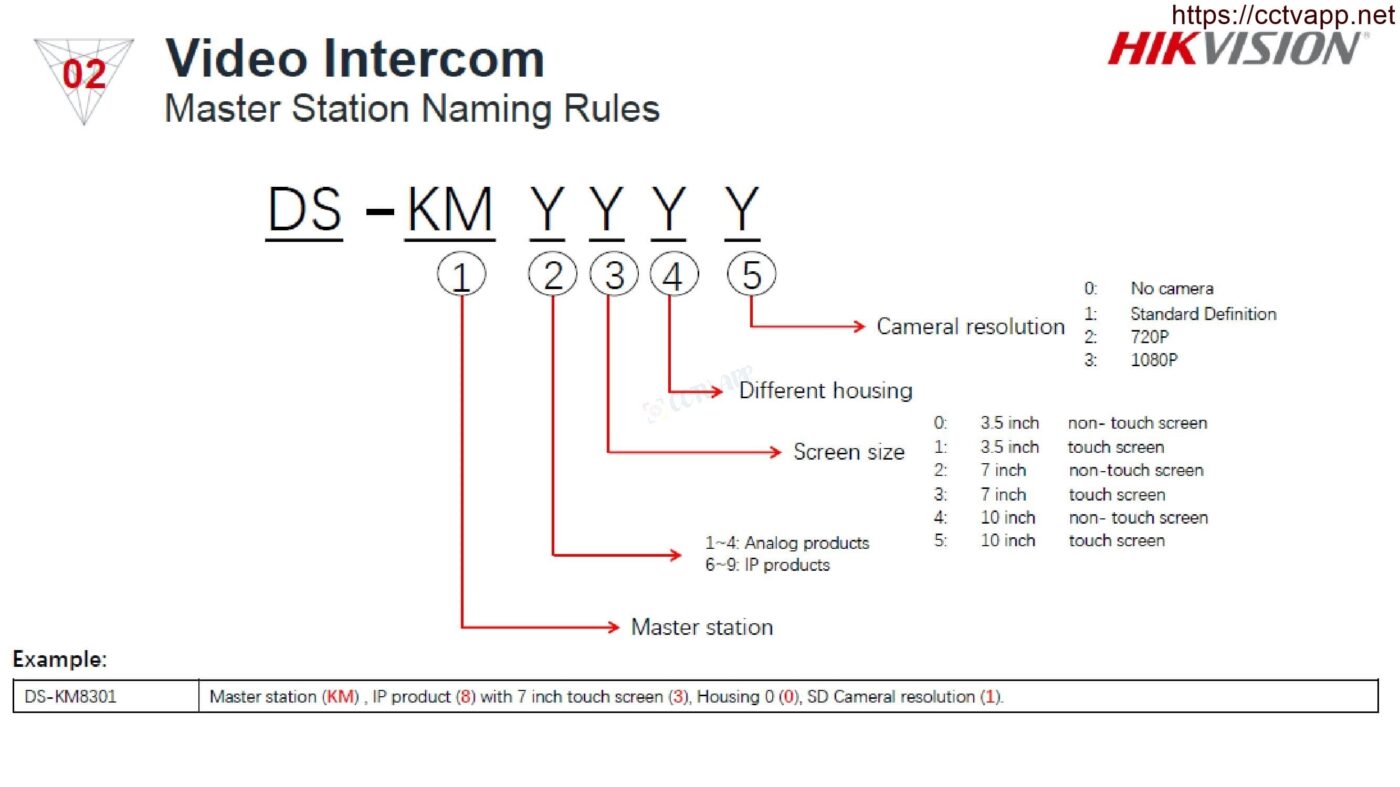
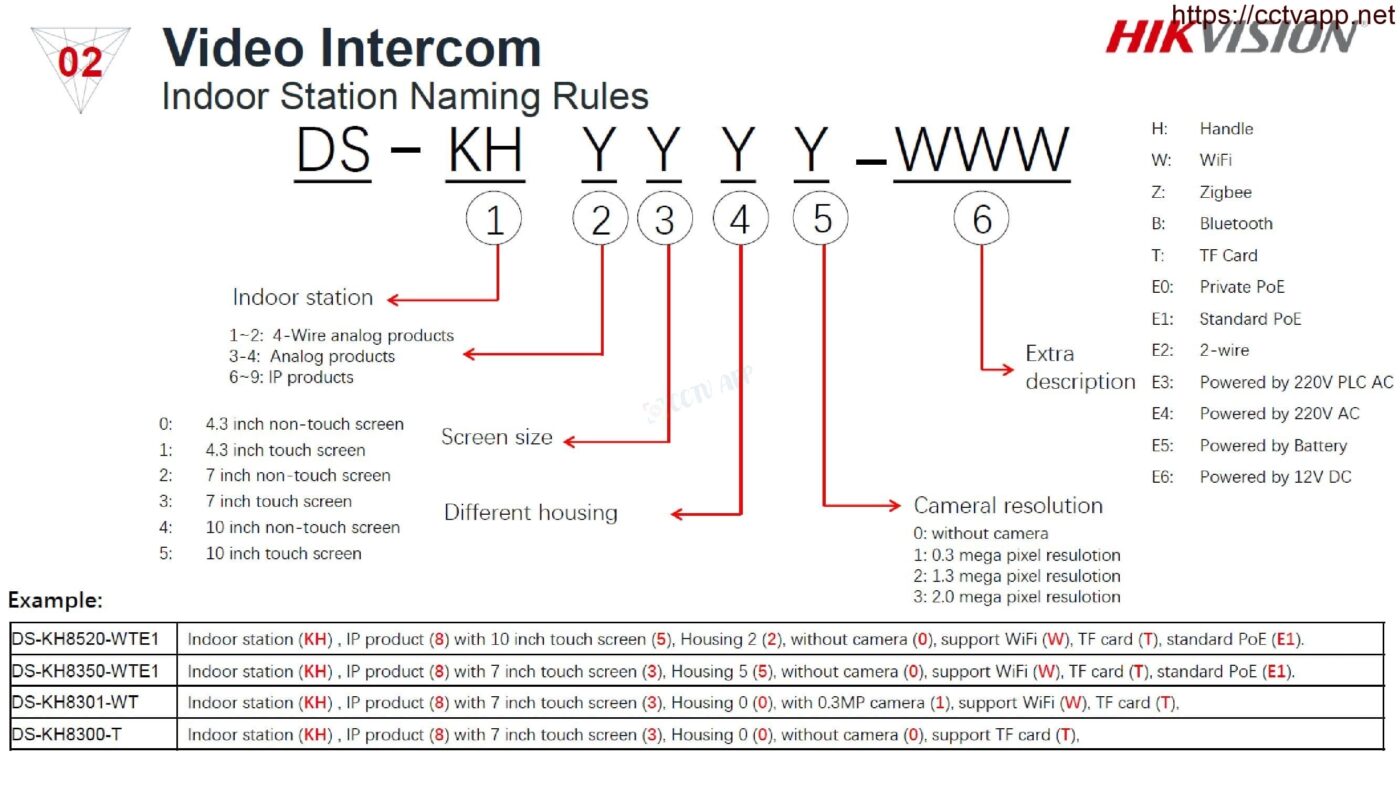
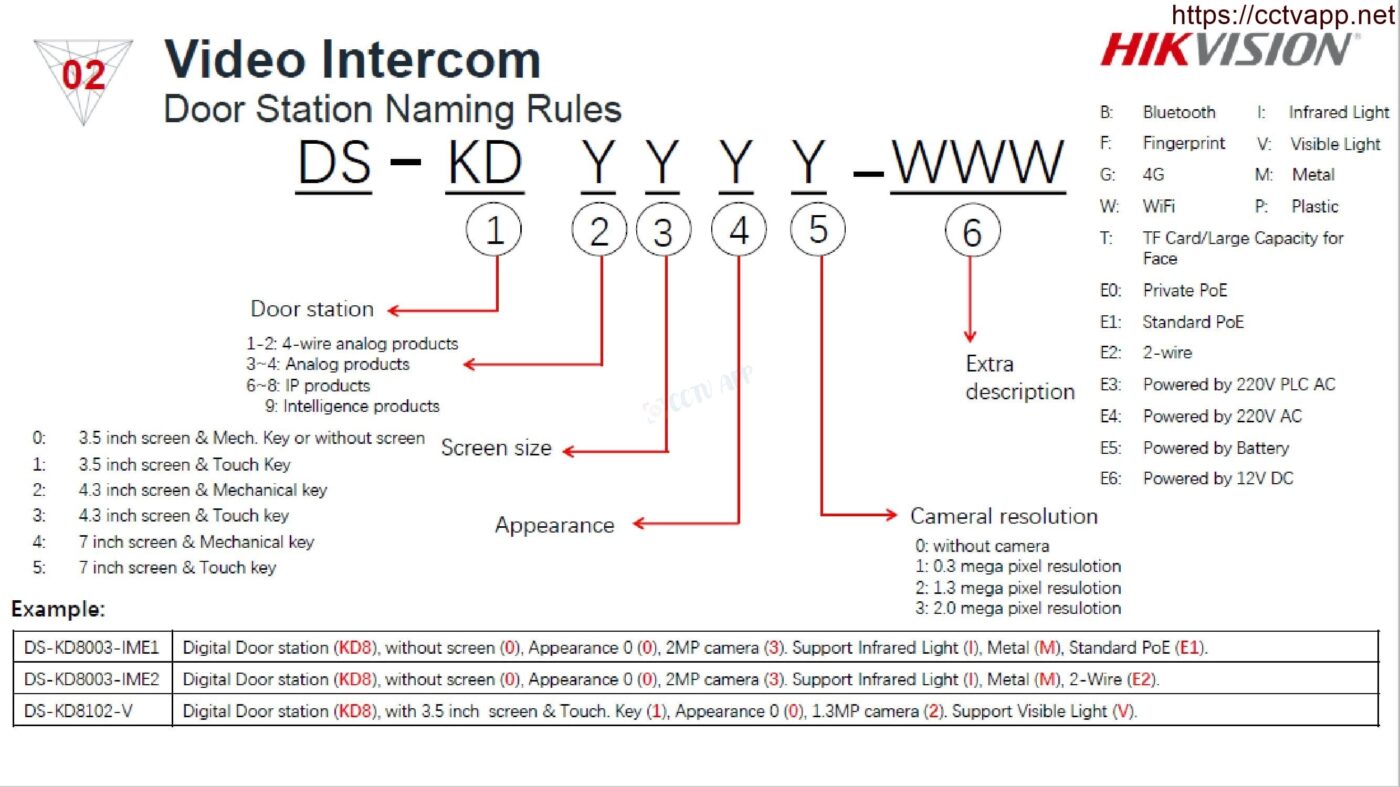
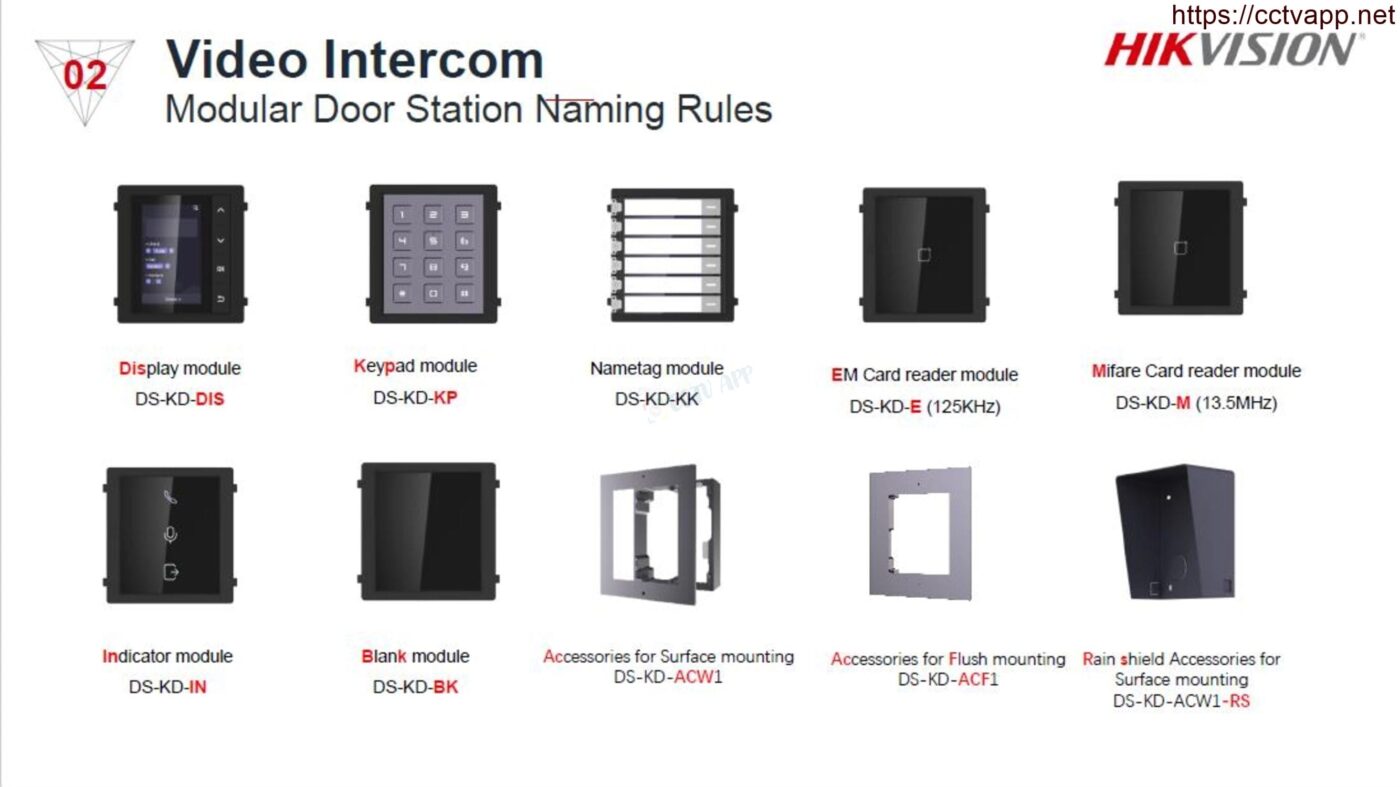
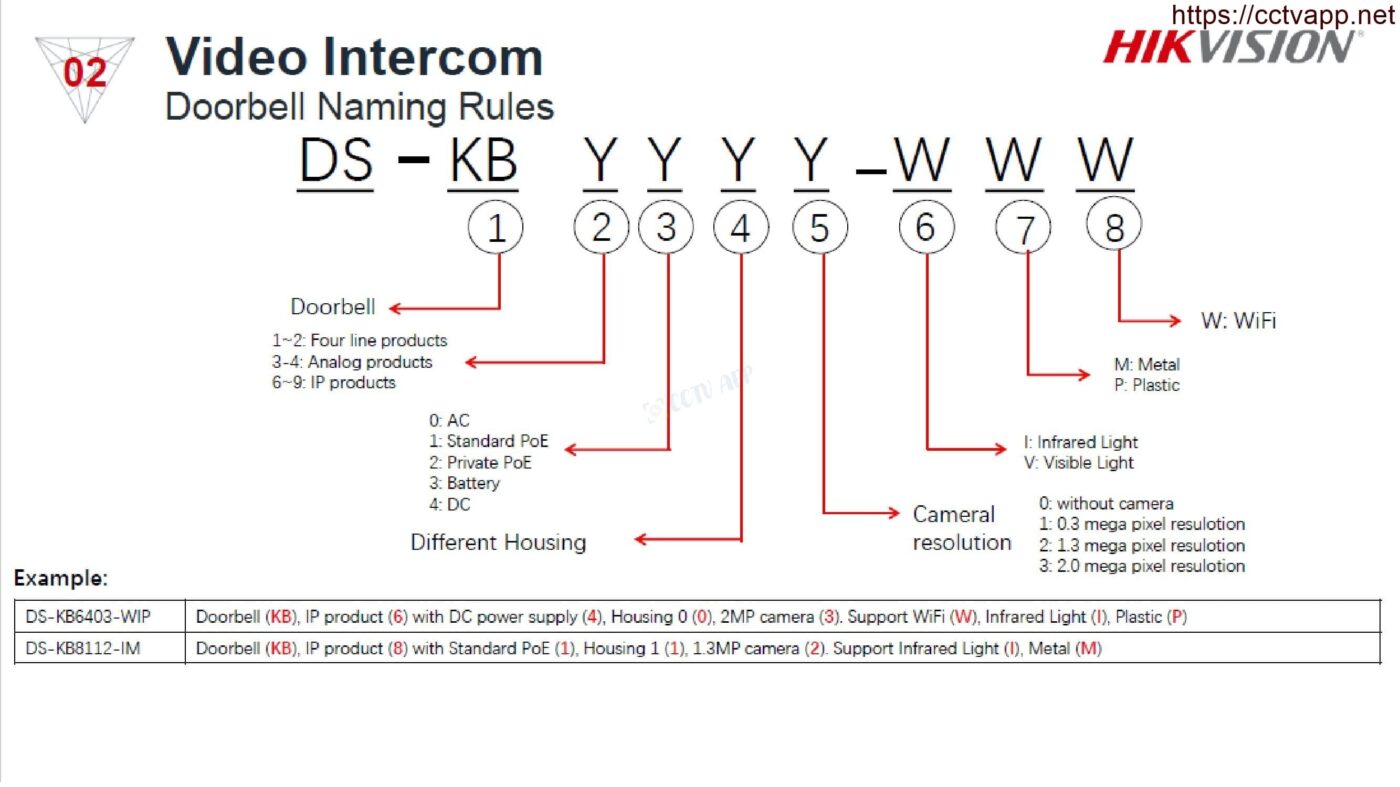
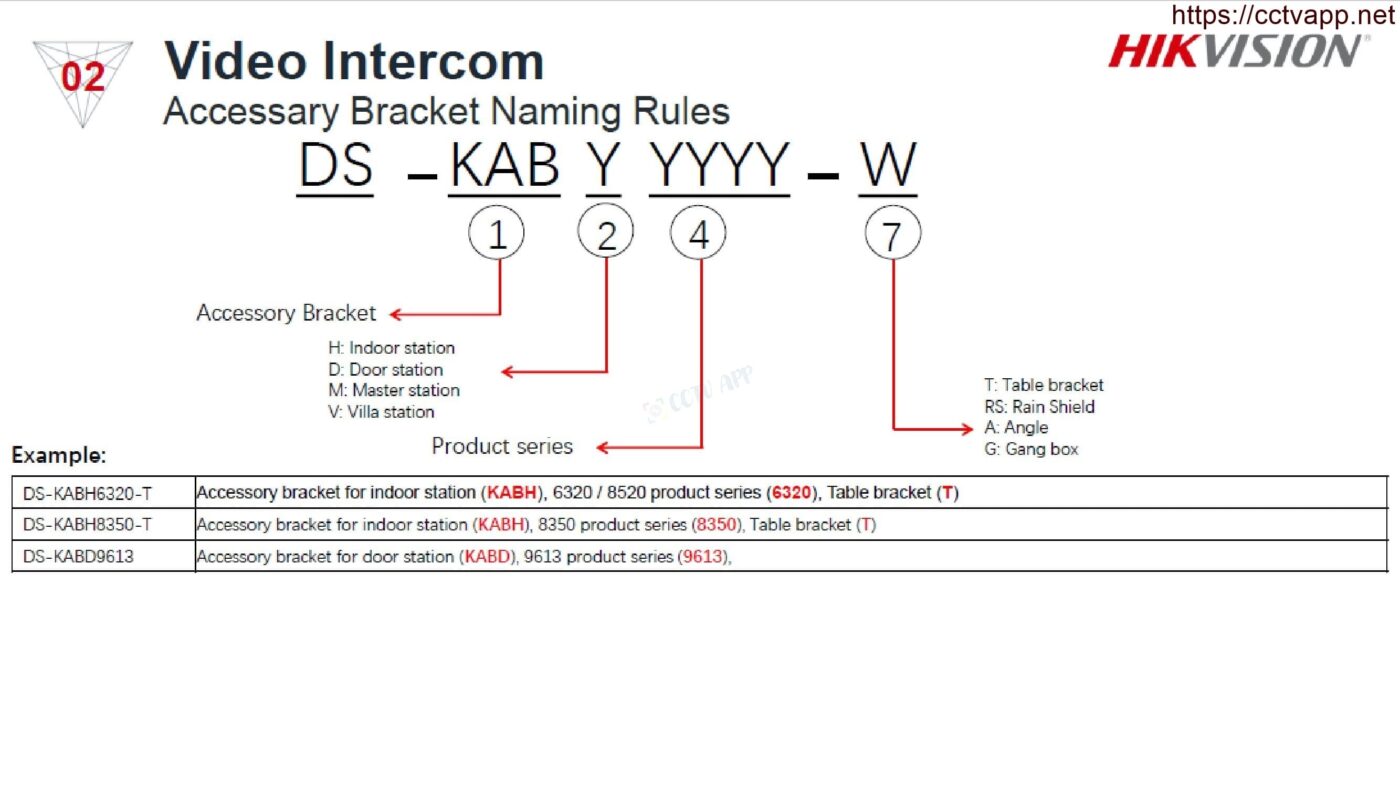
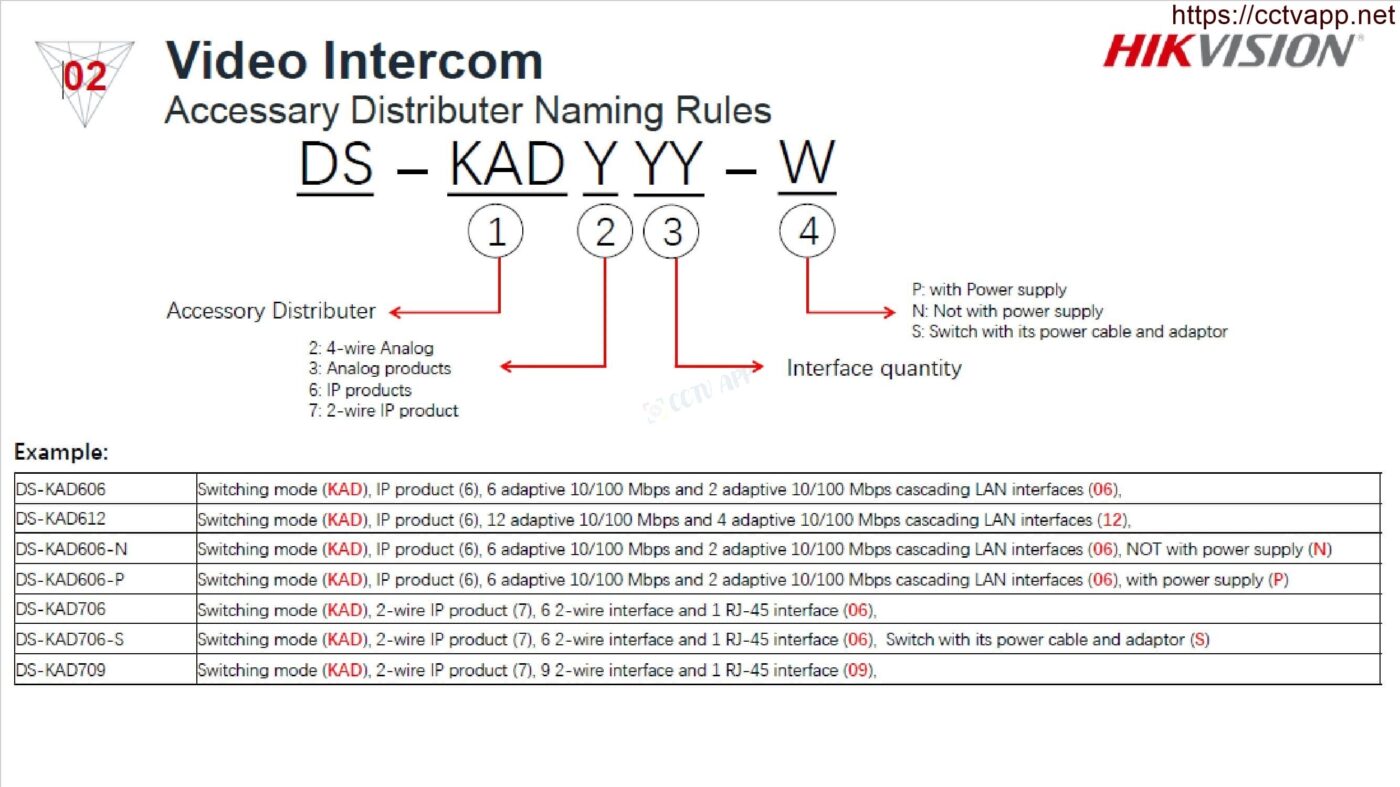
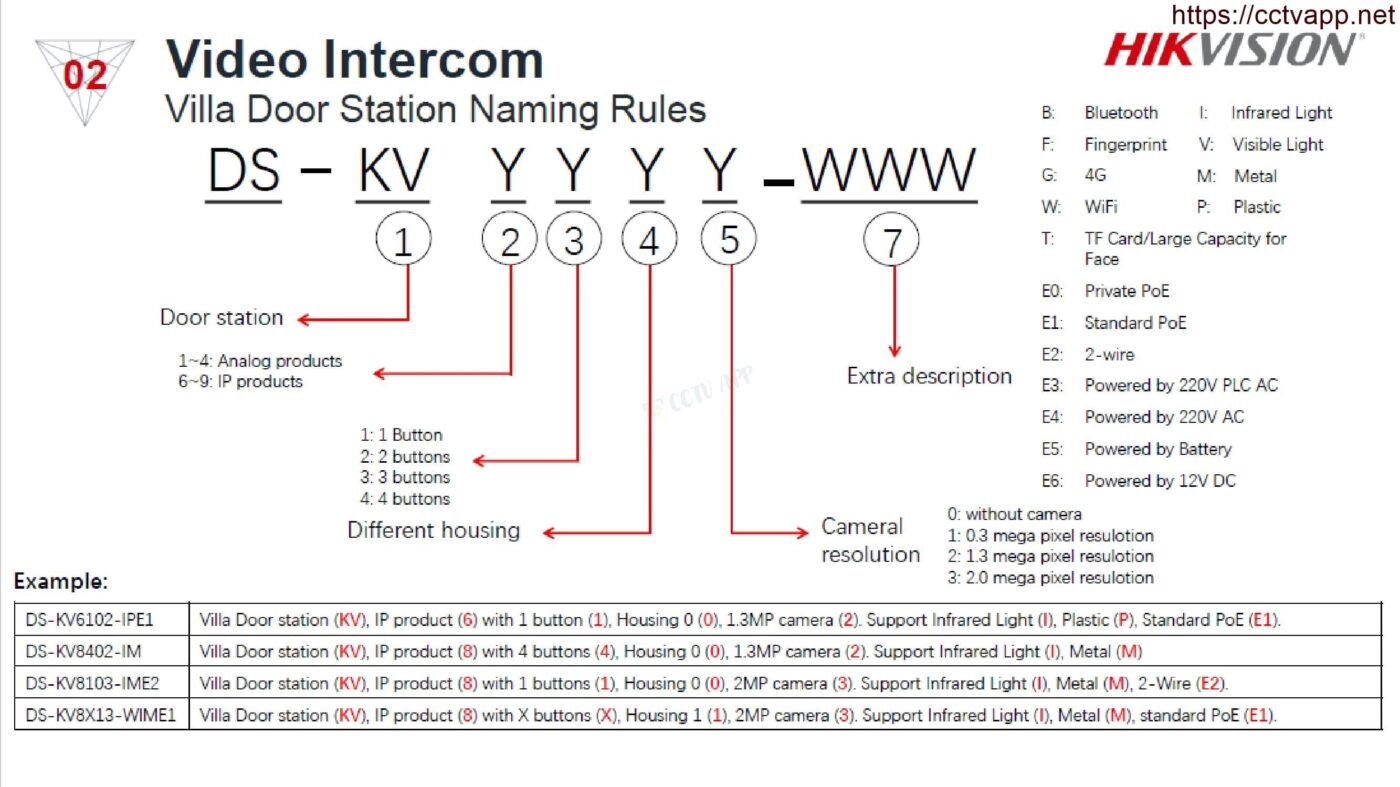
Rules for reading name of Hikvision Camera products

Posted on 2 December, 202312 April, 2024 by CCTVAPP.NET
02
Dec

1. Rules for reading product codes 2022

2. Rules for reading product codes 2021

This entry was posted in Technical document. Bookmark the permalink.
How to reset KX-VDP11GWN doorbell password
Rules for reading name of DAHUA Camera products

Recent Posts
  • Instructions for resetting password KX-7104T, KX-7108T
  • Instructions for resetting the password of NVR4116-4KS3
  • Instructions for resetting password XVR5116HS-5M-I3/T
  • Instructions for resetting password XVR1B04-I/T, XVR1B08-I/T
  • Instructions for resetting KX-DAi8116T-5M password
  • Instructions: Share Camera but Mute Sound, Control
  • AOR Capacity Comparison Table – Super-Efficient Storage Technology
  • Introducing 🌟 “GIANT” Titan Pro Officially Launched
  • Cài đặt Quay quét tự động kết hợp tự Zoom và theo dõi (AutoTracking 3.0)
  • Fix DMSS error show status online but can’t see Camera
Categories
  • 4G – Solar Camera
  • Alarm, Thermal & Fire Alarm
  • API For Camera (EN)
  • Bandwidth & Decode
  • Chưa được phân loại
  • Dahua Camera Web 5.0
  • Dahua Settings
  • Demo Product
  • Document (EN)
  • Download Firmware
  • Face Recognition
  • Hikvision (EN)
  • Hikvision Settings
  • Hilook Camera Settings
  • IMOU Network Device
  • IMOU Settings
  • Kbvision (EN)
  • Kbvision Settings
  • List of compatible HDDs
  • Lorex Settings
  • Matrix – Video Wall
  • News Product
  • Open Port – NAT Port (EN)
  • Other brands (EN)
  • Other Source Code
  • Smart Home Device
  • Smart Home Solutions
  • Smart Lock
  • Storage & Data
  • Storage Device
  • Technical document
  • Technology News
  • Tenda Camera Settings
  • TP-Link Network Device User Manual
  • TP-Link Omama Controller
  • TPLink Tapo Camera Settings
  • Traffic Camera
  • UNV (Uniview) (EN)
  • UNV Camera Settings
  • Use Software
  • Video Intercom
  • Virtual Private Network Solution (VPN)
  • WiFi & WiFi Marketing Solutions
  • Xiaomi Settings
CCTV Quiz
Software
News Product
HTTP API
Developer
SDK cho Camera
Privacy Policy

CCTVAPP Offical

Channel Youtube

Subscribe to support me guys!

DONATE THE AUTHOR

Paypal: paypal.me/ifastvina
Thank you so much!

2020 - 2025 © CCTVAPP | 3TSOFT VIETNAM
  • CCTVAPP.NET
    • Windows & MacOS
    • MacOS (EN)
    • DDNS System (Domain Name Server)
  • Source Code
    • Dahua SDK (EN)
    • Hikvision SDK (EN)
    • UNV (Uniview) (EN)
    • Other Source Code
  • Solutions
    • Solution from Dahua
    • Solutions from Hikvision
    • Solutions from Kbvision
    • Smart Home Solutions
    • WiFi & WiFi Marketing Solutions
    • Virtual Private Network Solution (VPN)
  • Technical guidance
    • Bandwidth & Decode
    • List of compatible HDDs
    • Camera RTSP Link
    • GET RTSP Camera (EN)
    • MJPEG Stream URL
    • Open Port – NAT Port (EN)
    • Download Firmware
    • Video clip
    • Demo Product
  • Tools
    • Check Port
    • Calculate Storage Capacity
    • Calculate System Bandwidth
    • Calculate 4G Data
    • Power Consumption
    • Reset Password
  • Contact us
  • English
    • English
    • Tiếng Việt
  • Login
Forgot Password?
Lost your password? Please enter your username or email address. You will receive a link to create a new password via email.
body::-webkit-scrollbar { width: 7px; } body::-webkit-scrollbar-track { border-radius: 10px; background: #f0f0f0; } body::-webkit-scrollbar-thumb { border-radius: 50px; background: #dfdbdb }