









 Tiếng Việt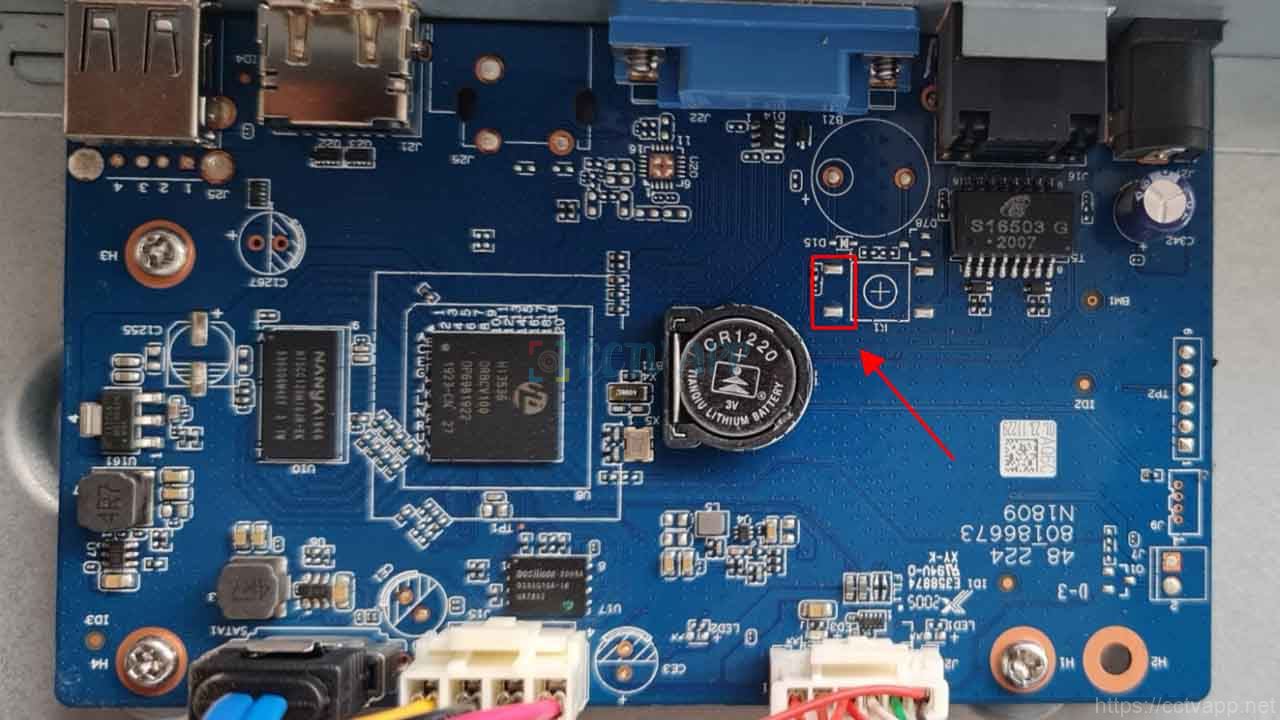
How to do
- Step 1: Use tweezers (metal) to shorten the 2 pins as shown in the picture
- Step 2: Plug in the receiver power and continue to hold the tweezers for about 30 seconds then release (still hold the power)
- Step 3: The receiver will start up and return to the state. default state. Access the device’s default IP address (192.168.1.108) to reset the new password.
Thanks for following this post!!!

