


Today I will show you how to open the modem port to set remote camera viewing settings. Opening a port for the camera and using a domain name will help connect to the camera more quickly when using Cloud P2P. In addition, in case of remote pull, the port also needs to be opened.
No matter what modem port you open, no matter what network operator you open. You need to prepare yourself for some of the following requirements:
- Determine the IP address of the video recorder and the ports that need to be opened.
- Determine the IP address of the modem (turn on cmd -> type ipconfig -> see the address of Gateway)
- The computer or phone and camera receiver must be connected to the same internet network as the Router.
Step 1: Log in to Modem
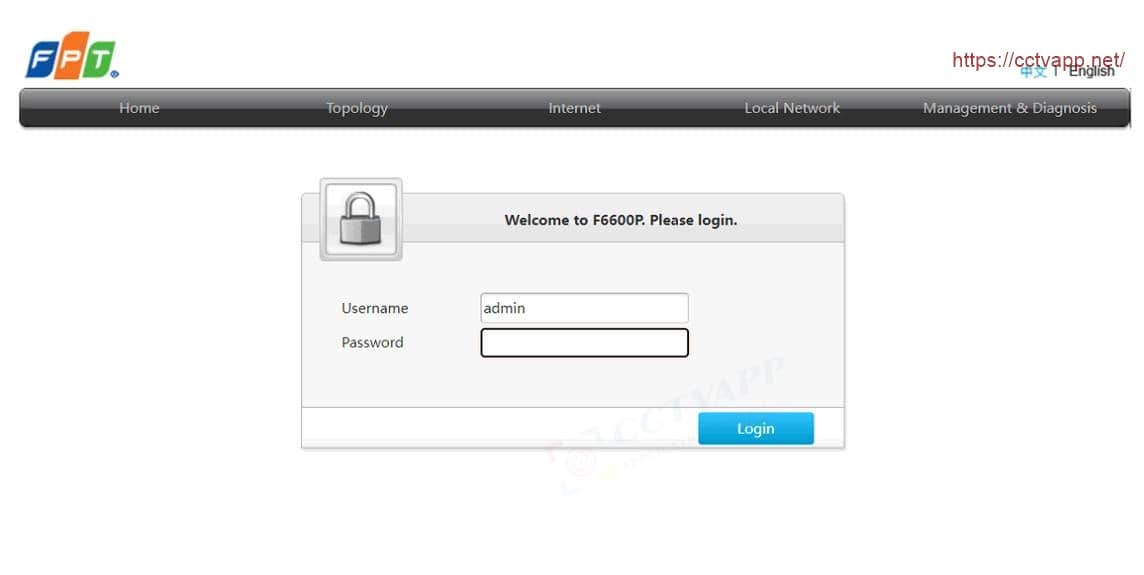
- Log in to the modem by opening a web browser and typing : http:/ /192.168.1.1 (default). The modem interface will appear and ask to log in.
- The default login information is printed on the sticker below the Modem, or the default password is printed on the sticker below the Modem.
Step 2: Port opening operation
Manipulate as follows to open Port:

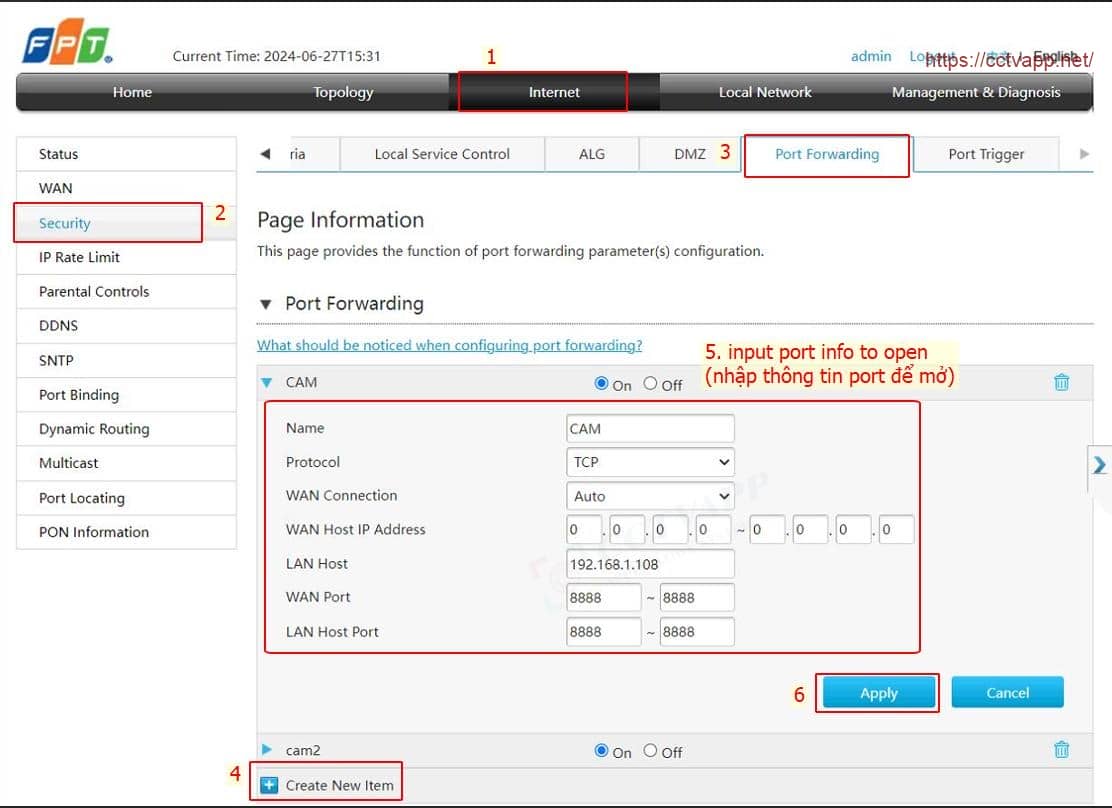
In which:
- LAN Host: Fill in the IP address of the camera and video recorder.
- WAN Port, LAN Host Port: Fill in the port you want to open.
- Protocal: Default is TCP, can choose ALL or UDP.
- Name: Give any name.
Finally click ‘ Apply ‘ to Add port.
Example: As shown above, port 8888 is opening for the device with IP address: 192.168.1.121
Step 3: Check the results of opening the port
After opening the port. You need to check whether your port is open or not.
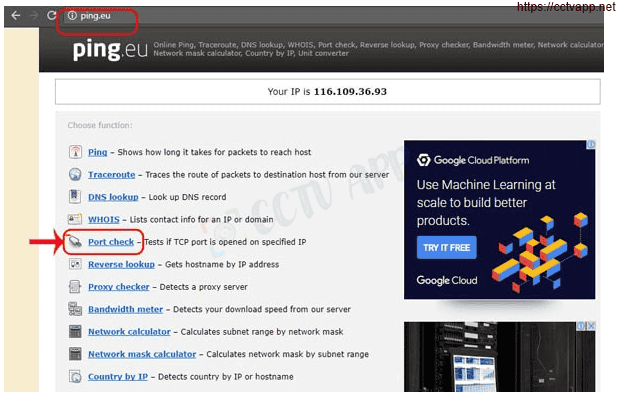
- By visiting ping.eu then you select Port Check.

- The browser will redirect to another page where you do the following:

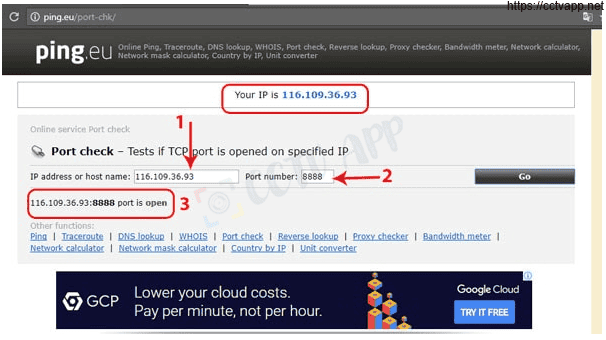
- Click on the series of numbers after the words Your IP is
- In the box IP address or host name that series of numbers will appear
- In the box Port Number you fill in the ports you have opened. click Go.
- If the result is as shown above, you have succeeded. Otherwise, as shown below, you have notIf successful, you need to recheck the steps above.
Wishing you a successful installation!!!