


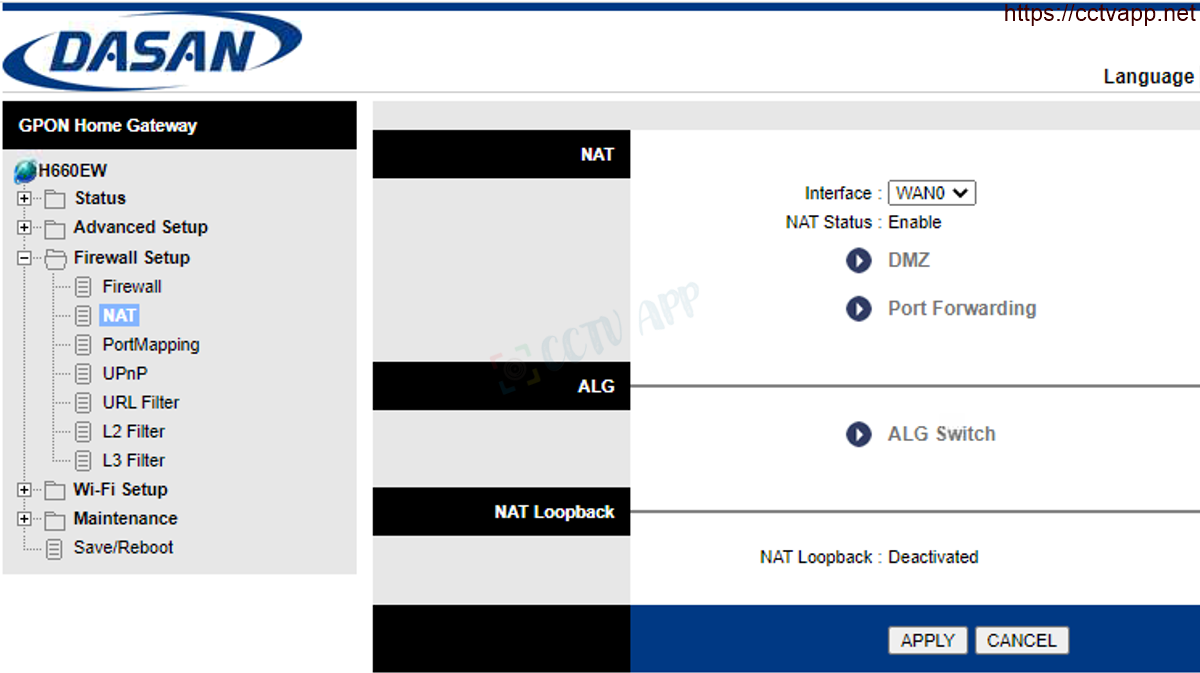
Today I will show you how to open the modem port to install install remote camera view. Opening the port for the camera and using the domain name will help connect to the camera faster when using Cloud P2P. Also in case of remote pull also need to open the port. This guide is applicable to DASAN H646W and equivalent product lines.
No matter what modem port you open, regardless of carrier. You need to prepare yourself some of the following requirements:
- Identifies the IP address of the DVR and the ports to open.
- Identifies the IP address of the modem (on cmd -> type ipconfig -> see address of Gateway)
- Computer or phone and camera receiver must be connected connect to the router’s internet network.
Step 1: Login to DASAN Router
- Log in to your modem by opening a web browser and typing: http://192.168.1.1 (default). The modem interface will appear and it will ask for login.
- Default login information is printed on the sticker below the Modem, it is GPON S/N.

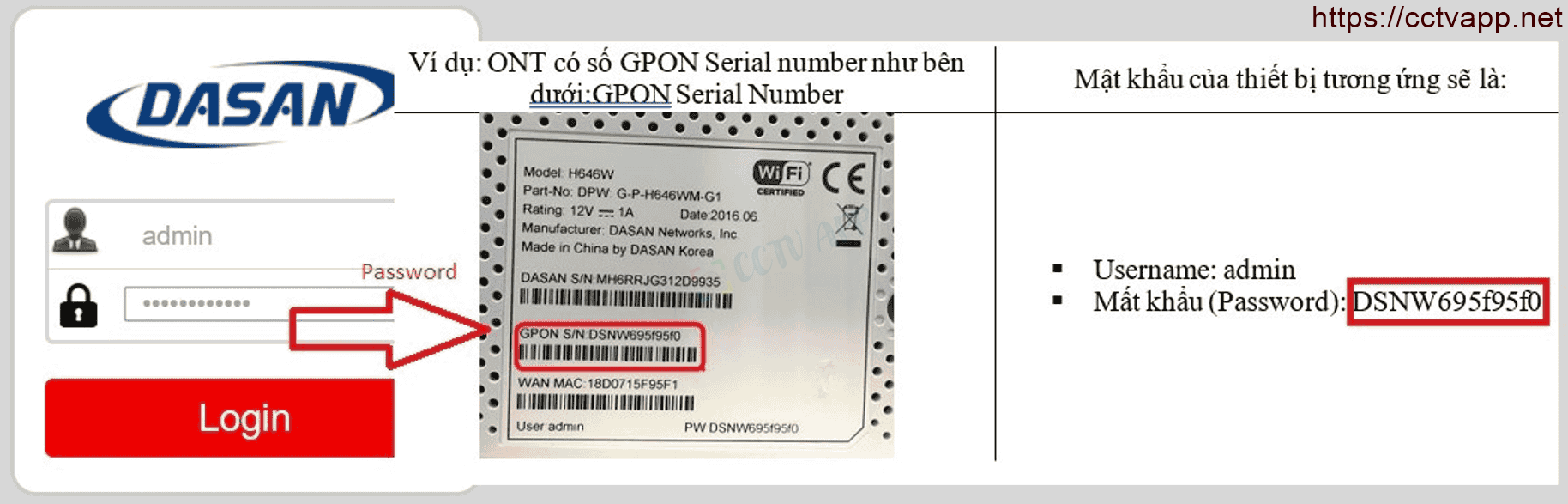
Step 2: Open port on DASAN Router
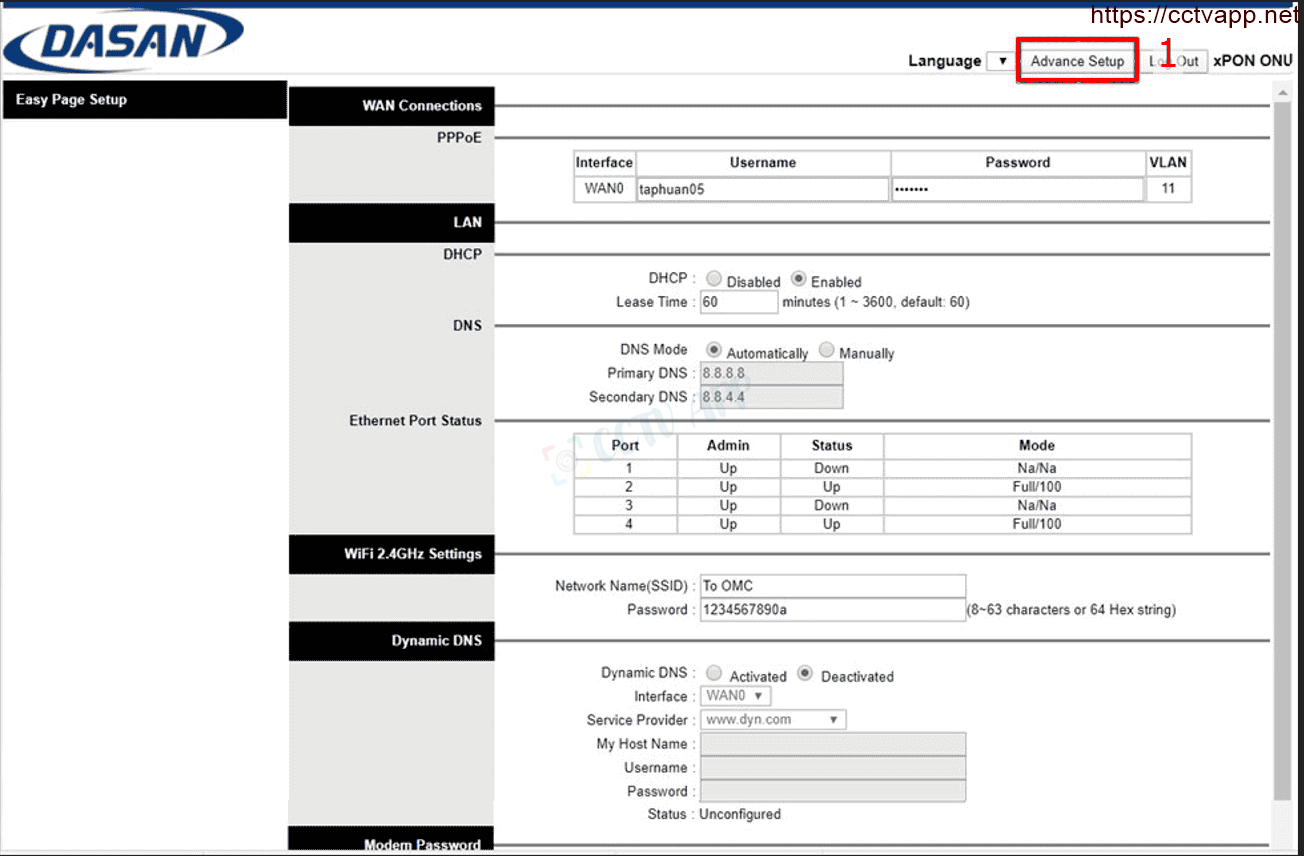
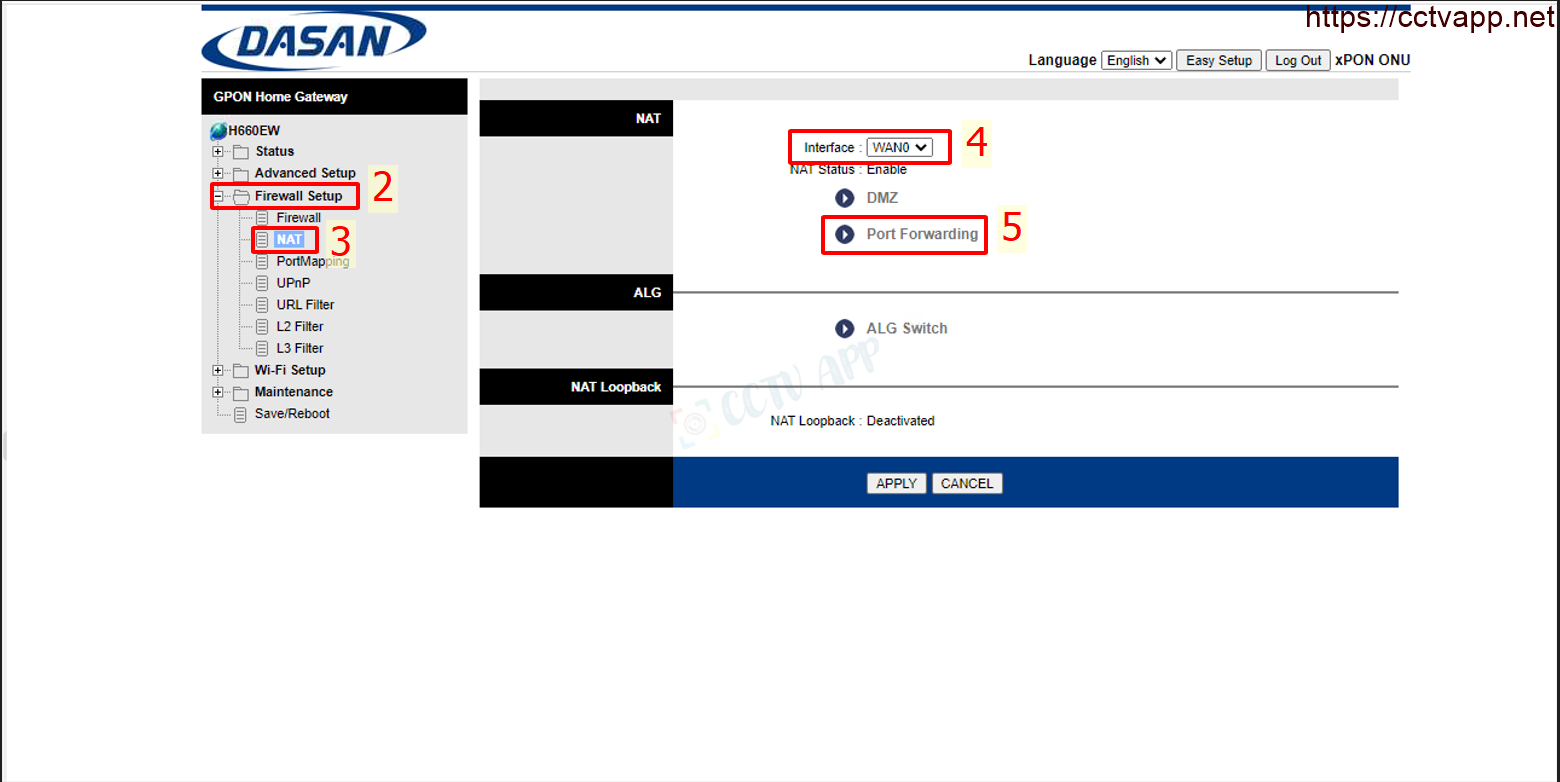
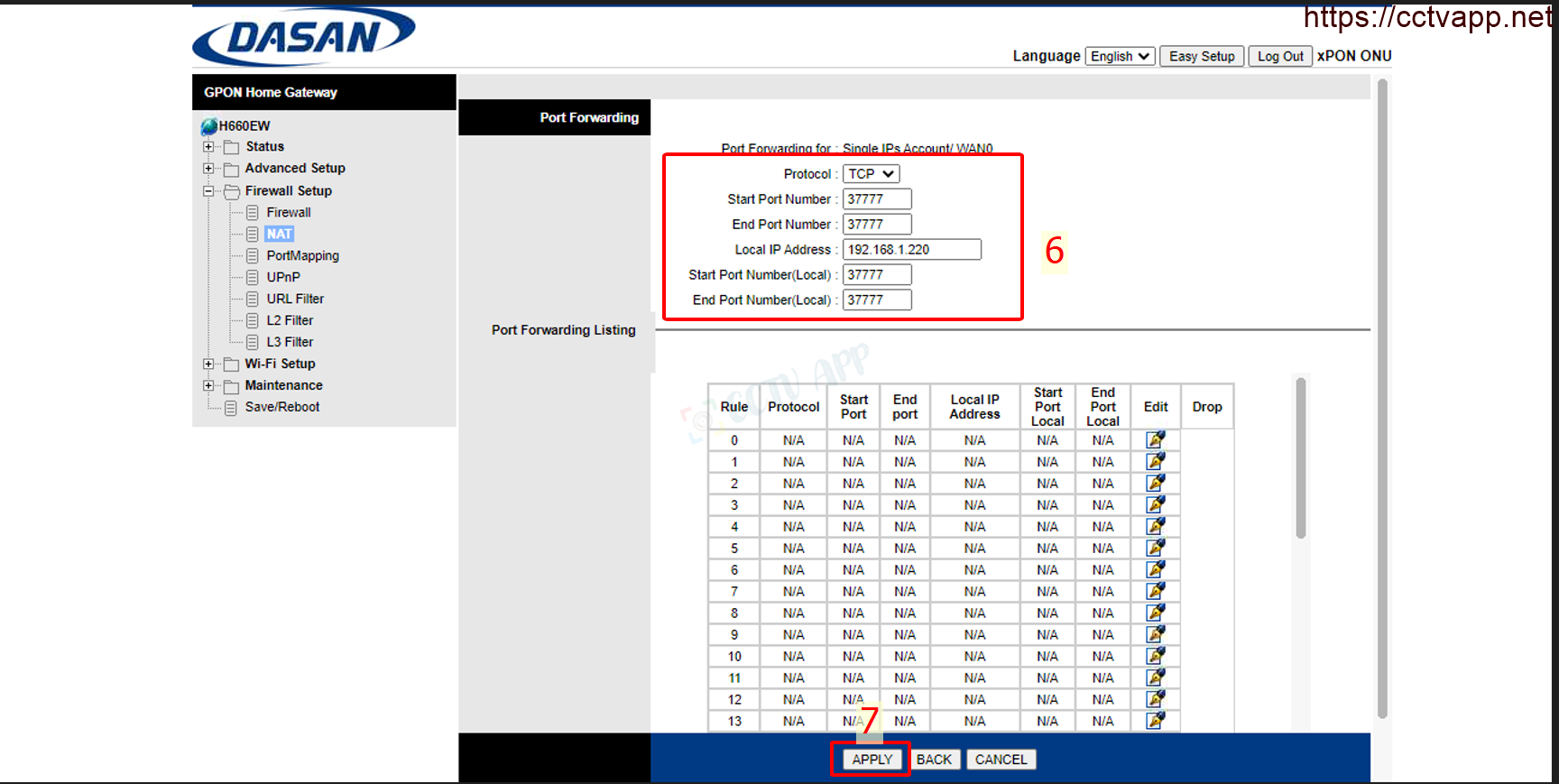
- After logging in to the main interface on the modem, select: Advance Setup-> Firewall Setup -> NAT-> Select the corresponding WAN (default is WAN 0)-> Port Forwarding – > Fill in the opening parameters of the Port -> ‘Save’ as shown below:



In which:
- Local IP Address: Enter the IP address of the camera, recorder.
- Start Port Number, End Port Number: Enter the port you want to open.
- Start Port Number (Local), End Port Number (Local): Enter the port you want to open. open.
- Protocal: Default is TCP, can choose ALL, TCP or UDP.
Finally press Add to Add port.
Example: As shown above, it is opening port 37777 for device with IP address: 192.168.1.220
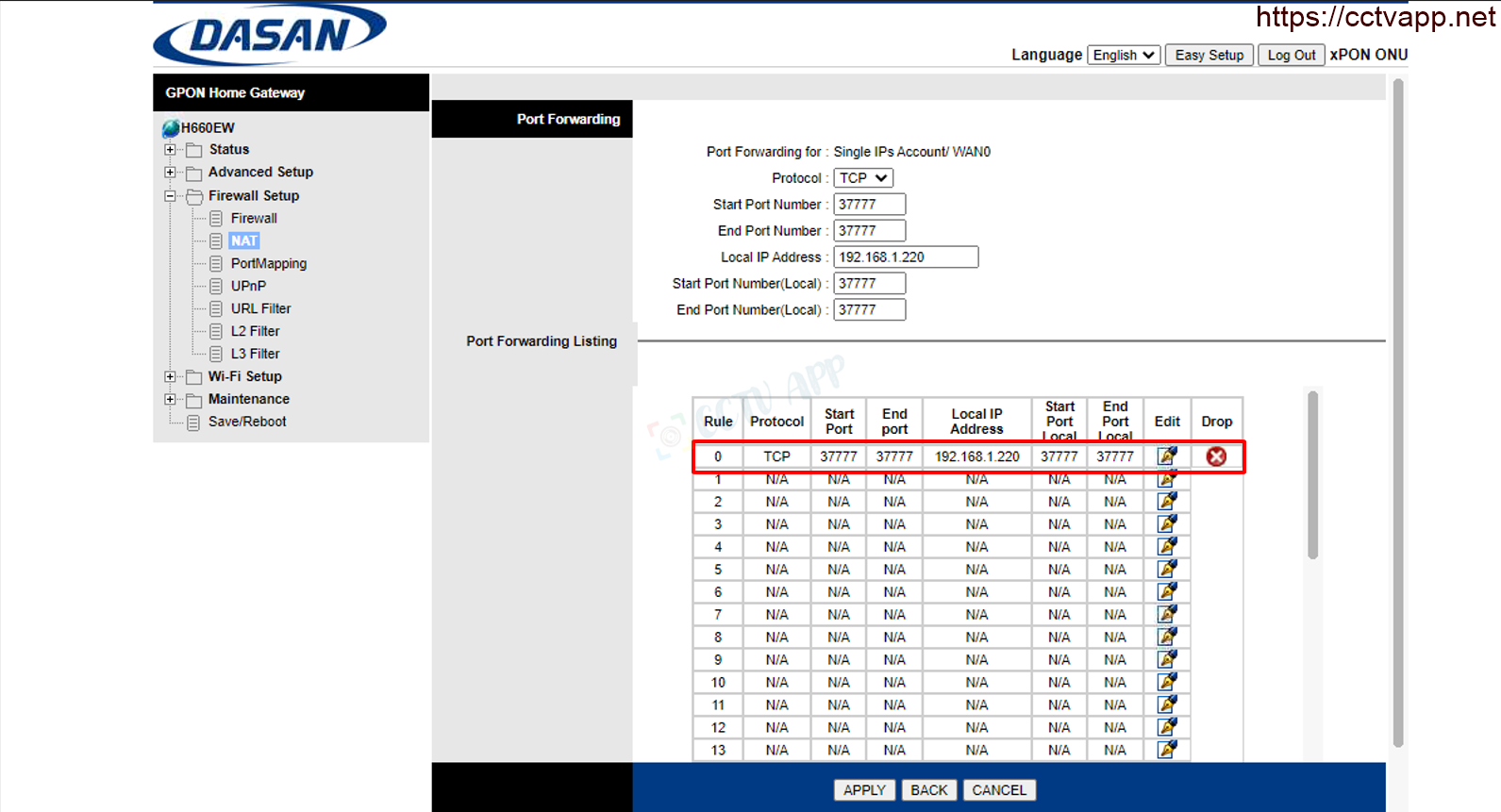
After opening the port, the list of ports is listed as follows:

Step 3: Check port opening
After opening the port. You need to check if your port is open or not.
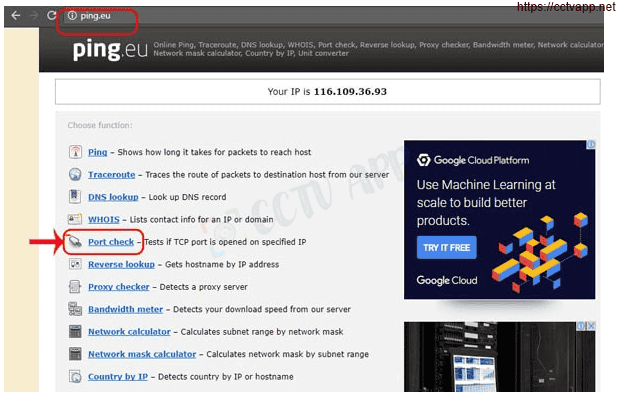
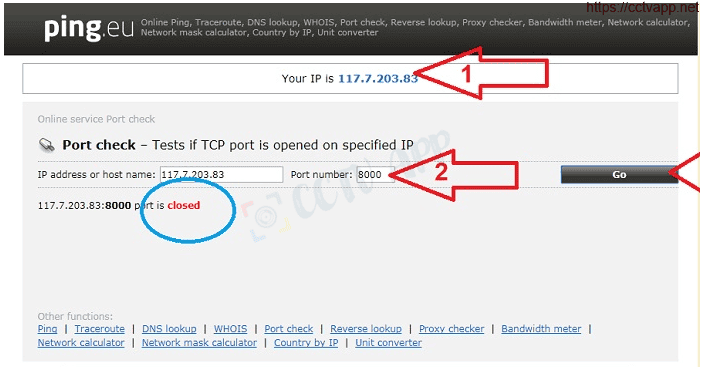
- By going to ping.eu after you select Port Check.

- Browser will redirect to another page here you do the following:

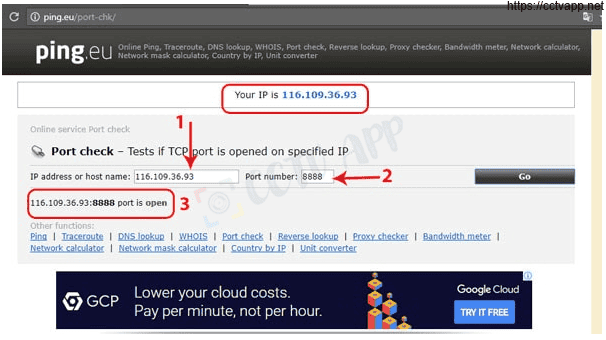
- Click on the number after the text Your IP is
- In the box IP address or host name will appear that sequence of numbers
- In the box Port Number you enter the ports you have opened. press Go.
- If the results are as shown above, you are successful. In contrast, as shown in the image below, you are not successful, need to recheck the steps performed in on.

Wishing you a successful installation!